

Crewai Tracing

This guide demonstrates how to use Arize with CrewAI for tracing.
You can read more about LLM tracing here. In this tutorial, you will use opentelemetry and openinference to instrument our application in order to trace your LLM and agent calls with CrewAI.
ℹ️ This notebook requires:
- A OpenAI API key
- A Serper API key (this is at serper.dev and has a free tier)
- An Arize Space & API Key
Step 1: Install Dependencies 📚
Let's get the notebook setup with dependencies.
Step 2: Get your API Keys
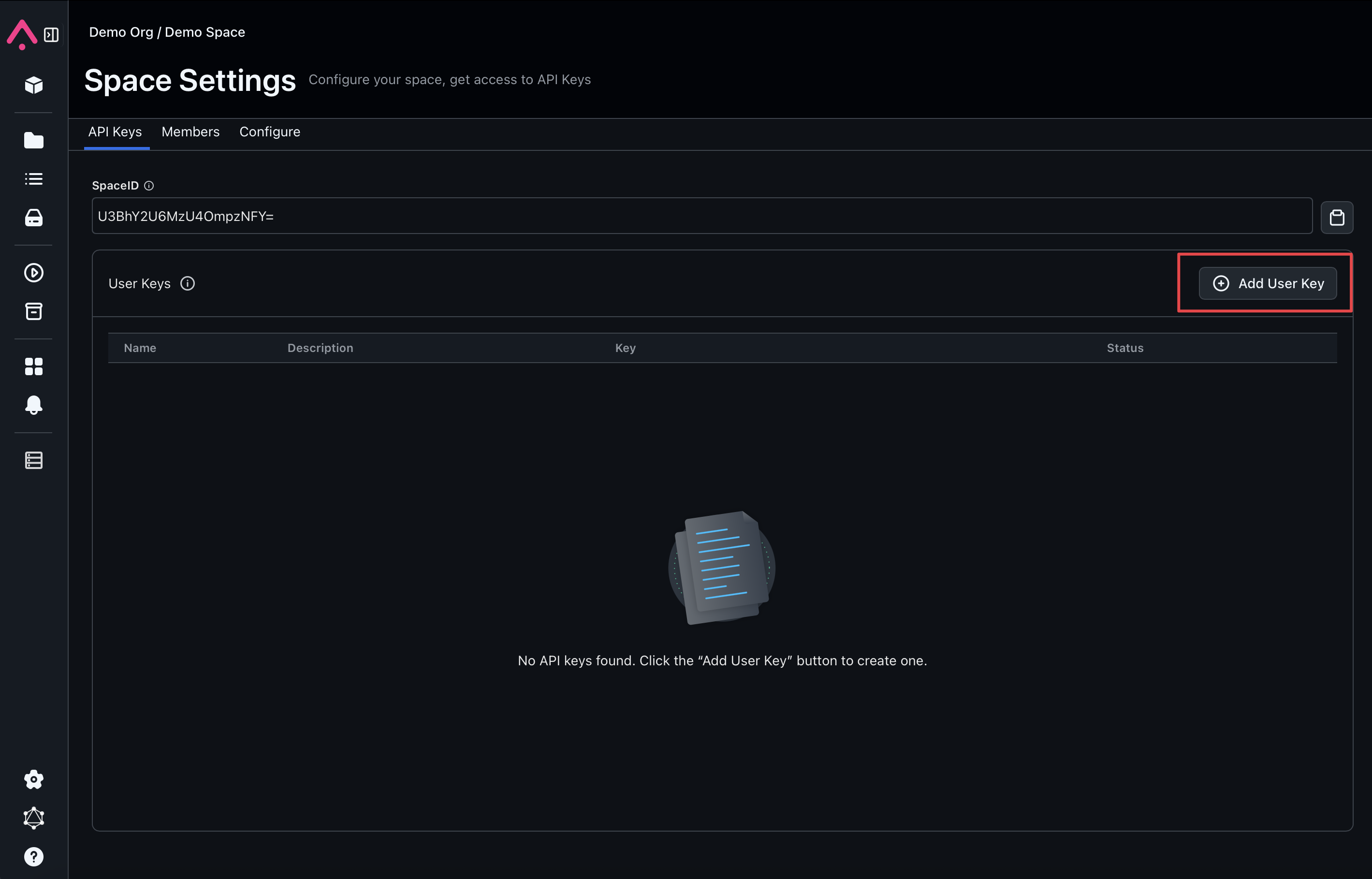
Copy the Arize API_KEY and SPACE_ID from your Space Settings page (shown below) to the variables in the cell below.
Step 3. Add our tracing code
We will be using the arize-otel package to register the URL and authentication parameters to send to Arize using OpenTelemetry. You can see what's under the hood by looking here.
Step 4: Run your LLM application
Let's create two agents that work together to write a blog post and see the results in Arize.
Great! Our application works!
Step 5: Log into Arize and explore your application traces 🚀
Log into your Arize account, and look for the project with the same project_name!