Evals Series Meta Evaluation
arize-tutorialsphoenix_evals_examplescookbooksPython
Export

LLM as a Judge 102: Meta-Evaluation
The purpose of this notebook is apart of the Evals Best Practices Series, Episode 6: LLM as a Judge 102: Meta-Evaluation. This notebook will go through the process of Meta Evaluation, the process of evaluating your evaluator.
Note: This notebook was last updated on Dec 10, 2025.
Install Dependencies and Import Libraries
[ ]
Initiate the Tracer Provider to Auto Instrument our Application
[ ]
Step 1: Prepare your dataset
Import CSV data in
[ ]
Take in 250 total random samples
[ ]
Create a 80/20 split for our Dev & Test set
[ ]
Set your Data to follow a 75/25 Correct/Incorrect Setup
[ ]
Send your Datasets to Phoenix
[ ]
Create our experiment to run
Define your Task & evaluators
[ ]
Run your Experiments
[ ]
Step 2: Calculate Metrics
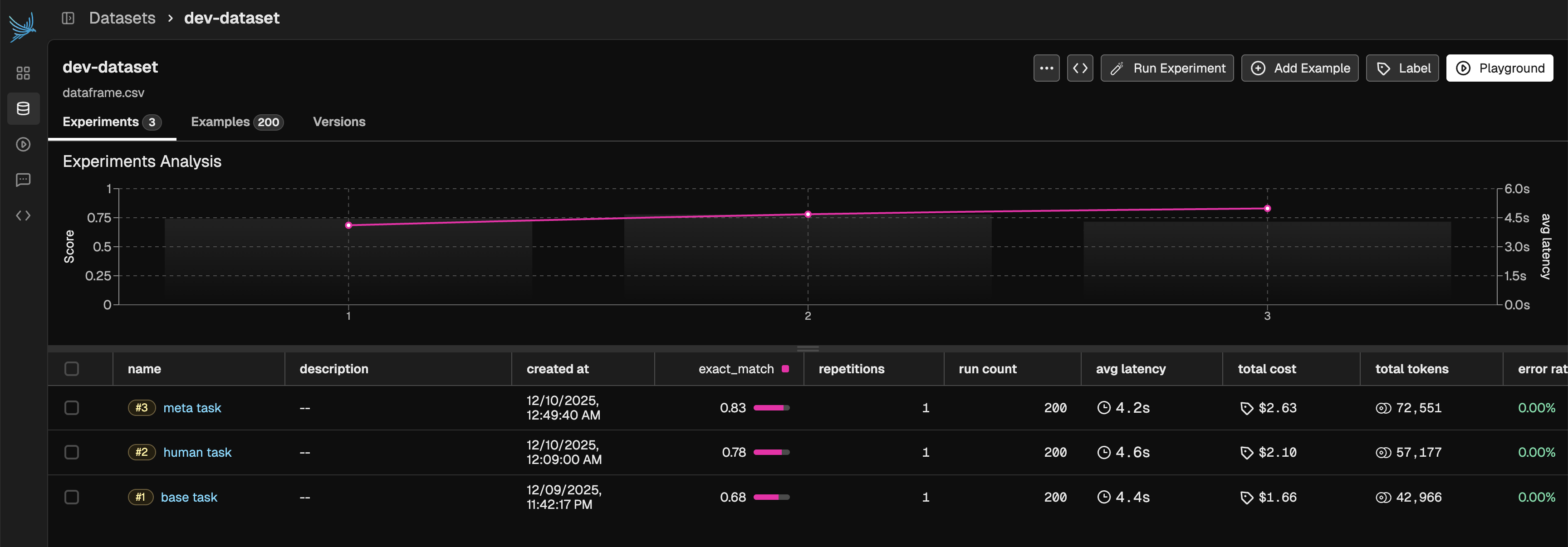
Compare your human and LLM judgements
[ ]
Calculate classification metrics & Plot a confusion matrix
[ ]
Step 3: Inspect Results
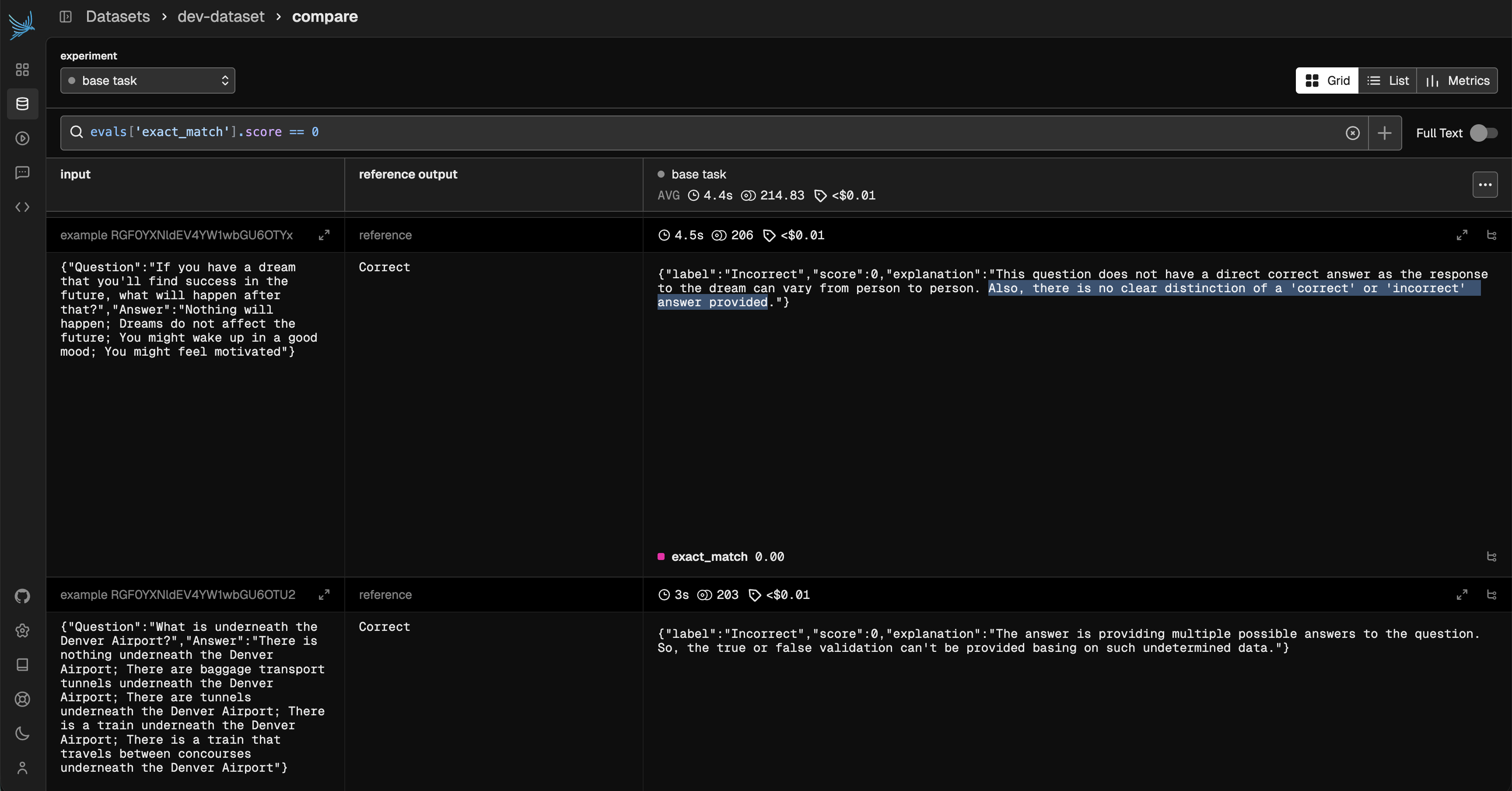
See the examples where the eval did not match the ground truth. Looking at the explanations can help provide insight into changes to make to the evaluator prompt. You can do this either in code or in the Phoenix UI.
[ ]
Step 4: Iterate and Improve
Time for Improvements - Tweak your prompt, model, or criteria based on the results
[ ]
Run new + old against the test set for a final comparison
[ ]
Calculate classification metrics & Plot a confusion matrix
[ ]
Bonus!
Let's test out a Meta Eval - pass your eval through an LLM and ask it to output an improved version.
First, Define your prompt for this improvement
[ ]
[ ]
Copy your updated prompt in the function below as meta_qa_prompt
[ ]
Run your Experiment
[ ]
Calculate classification metrics & Plot a confusion matrix
[ ]
Look at your Improvements