

Langchain Tracing
arize-tutorialstracingLLMPythonlangchain
Export

Using Arize with Langchain 🦜🔗
LangChain is a framework that helps you prototype LLM applications quickly. Use Arize and LangChain together to trace, evaluate, and iterate on your LLM apps and agents.
Running This Notebook
- Step through each section below, pressing play on the code blocks to run the cells.
- Log in your browser to the Arize App
- Copy and paste your Arize Space ID and API key
Step 0. Install Dependencies
Install Langchain and Arize packages.
⚠️ Use a GPU to save time generating embeddings. Click on 'Runtime', select 'Change Runtime Type' and select 'GPU'.
[ ]
Step 1. Setup Tracing
Copy the Arize API_KEY and SPACE_ID from your Space Settings page (shown below) to the variables in the cell below.
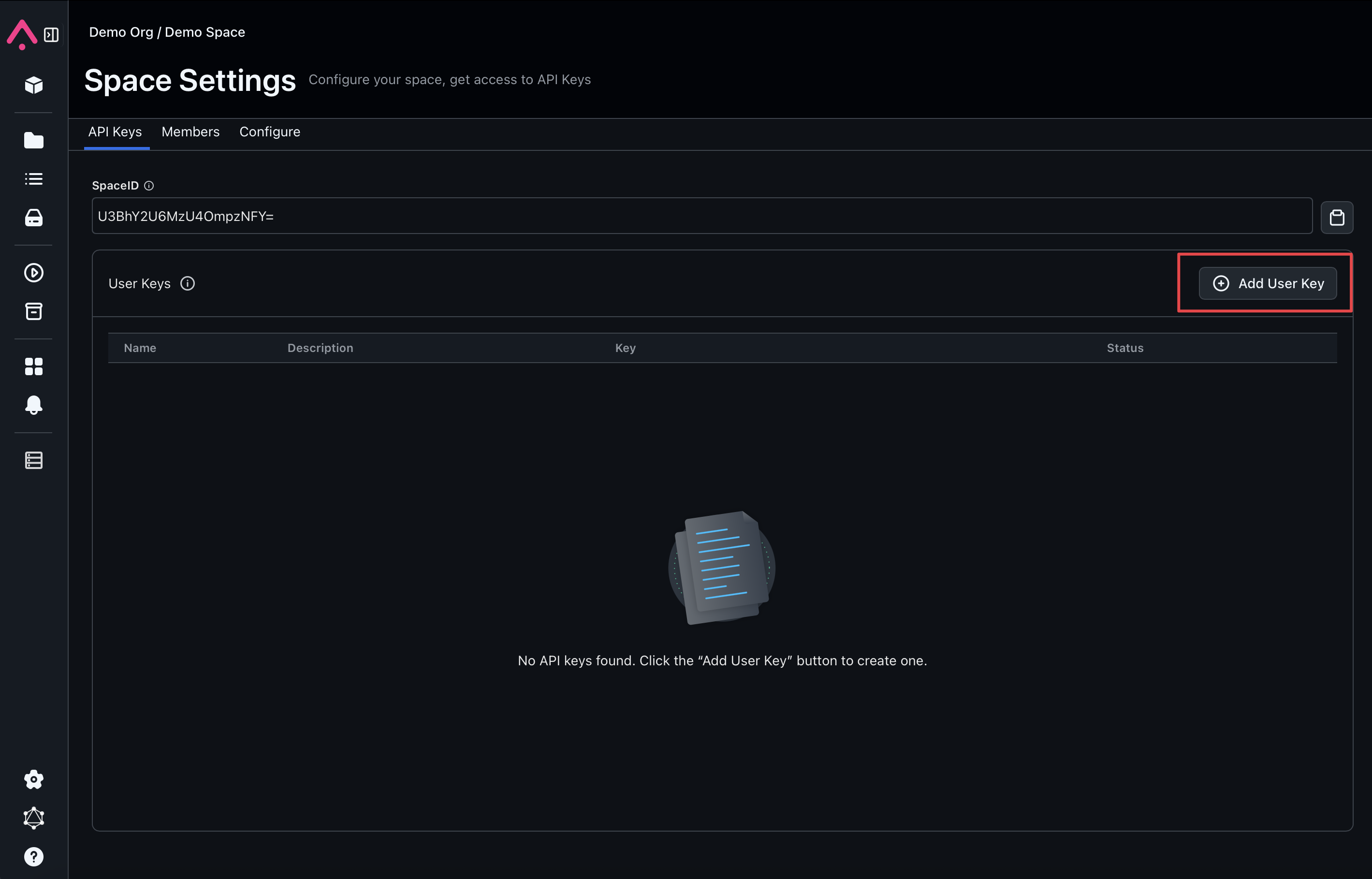
[ ]
[ ]
Step 2: Define LLM
[ ]
Step 3: Test LLM Responses and Logging into Arize
Use some simple prompts to test if the LLM works properly and each prompt-response pair is logged into Arize with embeddings.
[ ]
Step 4: Test LLM Chain and Agents with Arize Integration
[ ]