Llama Index Tracing Tutorial


Tracing and Evaluating a LlamaIndex Application
LlamaIndex provides high-level APIs that enable users to build powerful applications in a few lines of code. However, it can be challenging to understand what is going on under the hood and to pinpoint the cause of issues. Phoenix makes your LLM applications observable by visualizing the underlying structure of each call to your query engine and surfacing problematic spans of execution based on latency, token count, or other evaluation metrics.
In this tutorial, you will:
- Build a simple query engine using LlamaIndex that uses retrieval-augmented generation to answer questions over the Arize documentation,
- Record trace data in OpenInference tracing format using the global
arize_phoenixhandler - Inspect the traces and spans of your application to identify sources of latency and cost,
- Export your trace data as a pandas dataframe and run an LLM Evals to measure the precision@k of the query engine's retrieval step.
ℹ️ This notebook requires an OpenAI API key.
1. Install Dependencies and Import Libraries
Install Phoenix, LlamaIndex, and OpenAI.
Import libraries.
2. Set Up Phoenix
You'll need Phoenix running to collect and visualize trace data from your LlamaIndex application. You have two options:
Option 1: Local Phoenix (Free)
Run Phoenix locally on your machine. Install Phoenix and launch it in a separate terminal:
pip install arize-phoenix
phoenix serve
This will start Phoenix at http://localhost:6006. You can view the Phoenix UI by opening this URL in your browser.
Option 2: Phoenix Cloud (Hosted)
Use Phoenix Cloud for a hosted solution. Sign up for a free account at Phoenix Cloud and get your API key. Then set it as an environment variable:
export PHOENIX_COLLECTOR_ENDPOINT=your_endpoint_here
export PHOENIX_API_KEY=your_api_key_here
The instrumentation code will automatically detect your API key and send traces to Phoenix Cloud.
3. Configure Your OpenAI API Key
Set your OpenAI API key if it is not already set as an environment variable.
4. Build Your LlamaIndex Application
This example creates a simple VectorStoreIndex with documents about Arize and Phoenix for demonstration purposes. You can replace these with your own documents.
Let's create a document collection and build our index:
Enable Phoenix tracing via LlamaIndexInstrumentor. Phoenix uses OpenInference traces - an open-source standard for capturing and storing LLM application traces that enables LLM applications to seamlessly integrate with LLM observability solutions such as Phoenix.
We are now ready to instantiate our query engine that will perform retrieval-augmented generation (RAG). Query engine is a generic interface in LlamaIndex that allows you to ask question over your data. A query engine takes in a natural language query, and returns a rich response. It is built on top of Retrievers. You can compose multiple query engines to achieve more advanced capability
5. Run Your Query Engine and View Your Traces in Phoenix
Let's create some sample queries that relate to our document collection and test our query engine:
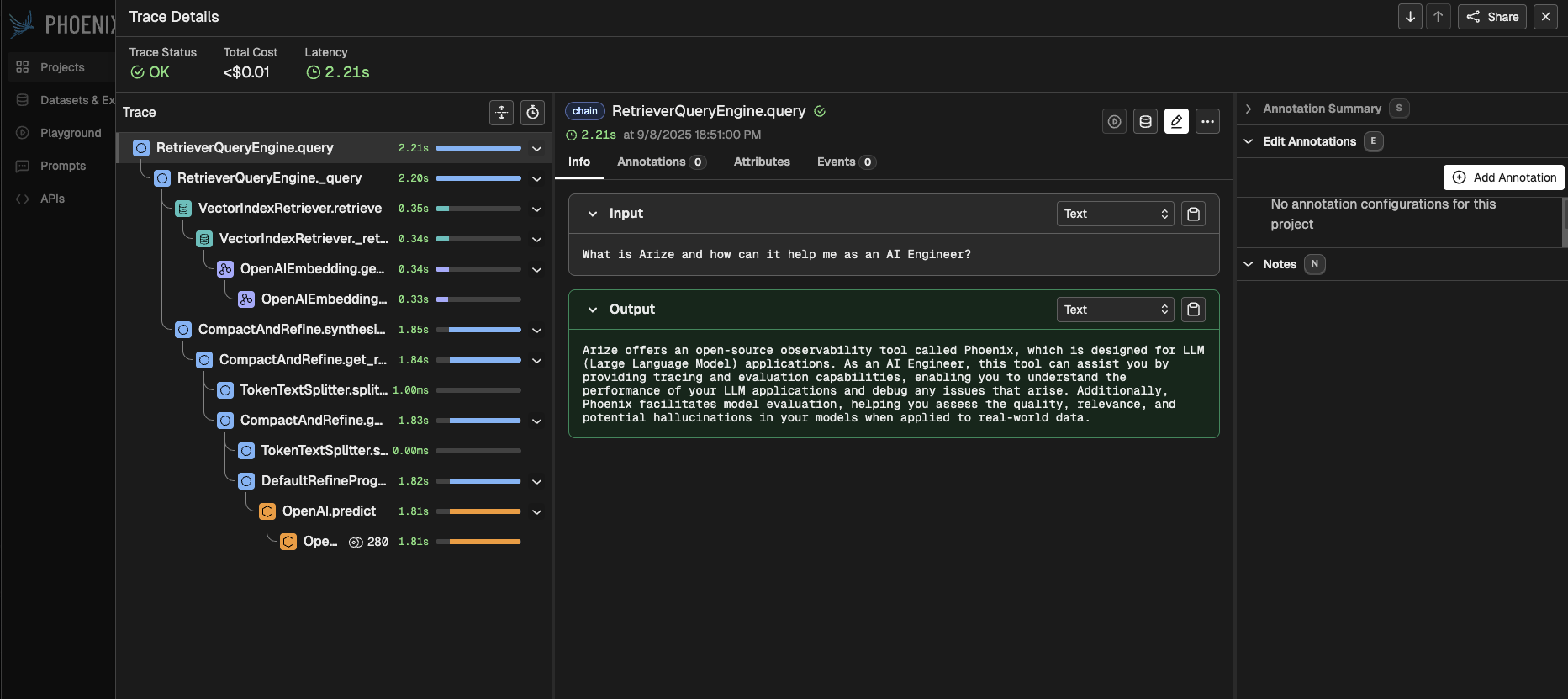
Let's run these queries and view the traces in Phoenix.
And just for fun, ask your own question!
Check the Phoenix UI as your queries run. Your traces should appear in real time.