

Llamaindex Manual Tracing

Tracing via OTLP using Arize and Phoenix
This guide demonstrates how to use Arize for monitoring and debugging your LLM using Traces and Spans. We're going to build a simple query engine using LlamaIndex and retrieval-augmented generation (RAG) to answer questions about the Arize documentation. You can read more about LLM tracing here. Arize & Phoenix make your LLM applications observable by visualizing the underlying structure of each call to your query engine and surfacing problematic spans of execution based on latency, token count, or other evaluation metrics.
In this tutorial, you will:
- Use opentelemetry and openinference to instrument our application and sent traces via OTLP to Arize and Phoenix.
- Build a simple query engine using LlamaIndex that uses RAG to answer questions about the Arize documentation
- Inspect the traces and spans of your application to identify sources of latency and cost
ℹ️ This notebook requires:
- An OpenAI API key
- An Arize Space & API Key (explained below)
Step 1: Install Dependencies 📚
Let's get the notebook setup with dependencies.
Step 2: OTLP Instrumentation
Let's import the dependencies we need
Step 2.a: Define an exporter to Phoenix
We need to start a phoenix session to act as a collector for the spans we export.
Next, we create an OTLP exporter with the Phoenix endpoint detailed above. Note that we use HTTP to export to Phoenix, which acts as a collector.
Step 2.b: Define an exporter to Arize
Creating an Arize exporter is very similar to what we did for Phoenix. We just need 2 more things:
- Space and API keys, that will be send as headers
- Model ID and version, sent as resource attributes
Copy the Arize API_KEY and SPACE_ID from your Space Settings page (shown below) to the variables in the cell below. We will also be setting up some metadata to use across all logging.
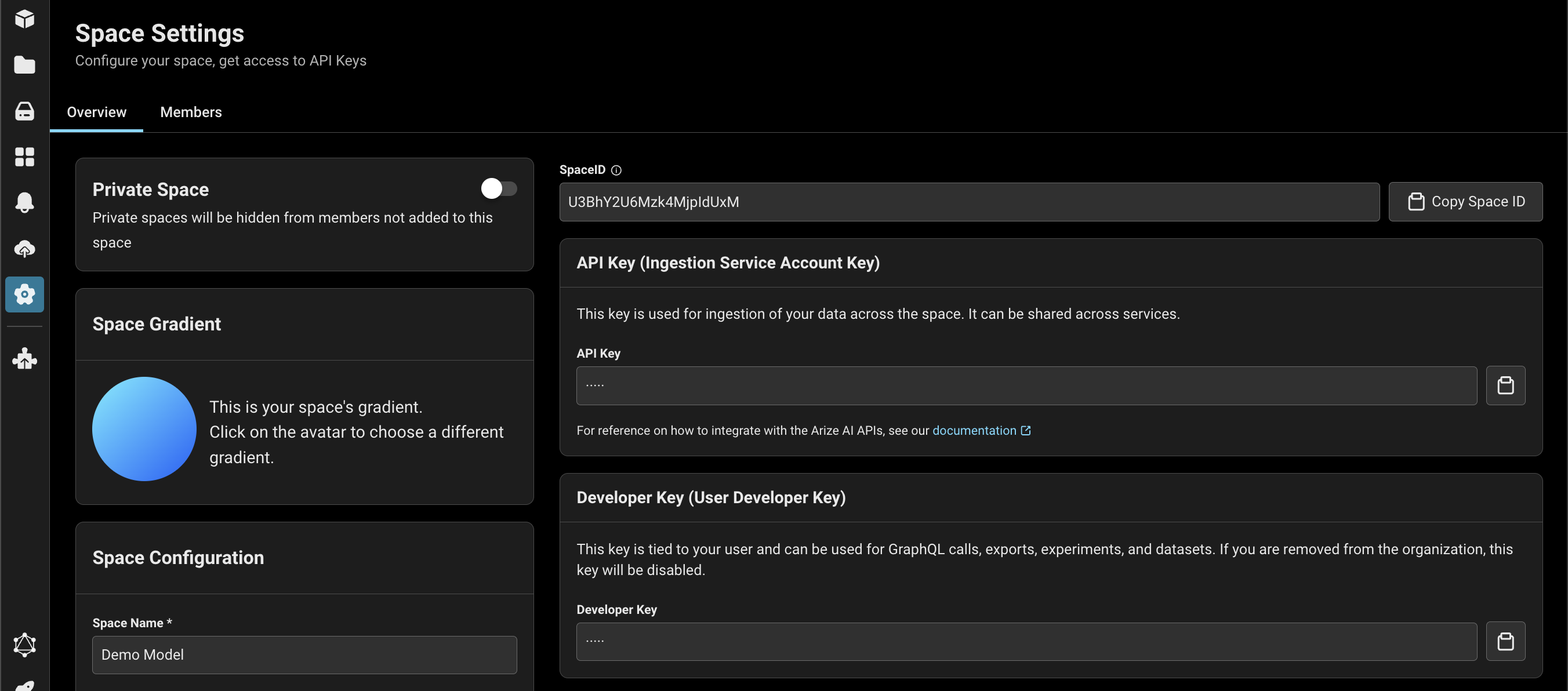
Next, we create an OTLP exproter with the Arize endpoint detailed above. Note that we use GRPC to export to Arize, which acts as a collector
Step 2.c: Define a trace provider and initiate the instrumentation
Step 3: Build Your Llama Index RAG Application 📁
Let's import the dependencies we need
Set your OpenAI API key if it is not already set as an environment variable.
This example uses a RetrieverQueryEngine over a pre-built index of the Arize documentation, but you can use whatever LlamaIndex application you like. Download our pre-built index of the Arize docs from cloud storage and instantiate your storage context.
We are now ready to instantiate our query engine that will perform retrieval-augmented generation (RAG). Query engine is a generic interface in LlamaIndex that allows you to ask question over your data. A query engine takes in a natural language query, and returns a rich response. It is built on top of Retrievers. You can compose multiple query engines to achieve more advanced capability.
Let's test asking a question:
Great! Our application works. Let's move on to the Observability Instrumentation
Step 4: Use our instrumented query engine
We will download a dataset of queries for our RAG application to answer and see the traces appear in Arize and Phoenix