

How to train a new language model from scratch using Transformers and Tokenizers
Notebook edition (link to blogpost link). Last update May 15, 2020
Over the past few months, we made several improvements to our transformers and tokenizers libraries, with the goal of making it easier than ever to train a new language model from scratch.
In this post we’ll demo how to train a “small” model (84 M parameters = 6 layers, 768 hidden size, 12 attention heads) – that’s the same number of layers & heads as DistilBERT – on Esperanto. We’ll then fine-tune the model on a downstream task of part-of-speech tagging.
1. Find a dataset
First, let us find a corpus of text in Esperanto. Here we’ll use the Esperanto portion of the OSCAR corpus from INRIA. OSCAR is a huge multilingual corpus obtained by language classification and filtering of Common Crawl dumps of the Web.

The Esperanto portion of the dataset is only 299M, so we’ll concatenate with the Esperanto sub-corpus of the Leipzig Corpora Collection, which is comprised of text from diverse sources like news, literature, and wikipedia.
The final training corpus has a size of 3 GB, which is still small – for your model, you will get better results the more data you can get to pretrain on.
2. Train a tokenizer
We choose to train a byte-level Byte-pair encoding tokenizer (the same as GPT-2), with the same special tokens as RoBERTa. Let’s arbitrarily pick its size to be 52,000.
We recommend training a byte-level BPE (rather than let’s say, a WordPiece tokenizer like BERT) because it will start building its vocabulary from an alphabet of single bytes, so all words will be decomposable into tokens (no more <unk> tokens!).
CPU times: user 4min, sys: 3min 7s, total: 7min 7s
Wall time: 2min 25s
Now let's save files to disk
['EsperBERTo/vocab.json', 'EsperBERTo/merges.txt']
🔥🔥 Wow, that was fast! ⚡️🔥
We now have both a vocab.json, which is a list of the most frequent tokens ranked by frequency, and a merges.txt list of merges.
{
	"<s>": 0,
	"<pad>": 1,
	"</s>": 2,
	"<unk>": 3,
	"<mask>": 4,
	"!": 5,
	"\"": 6,
	"#": 7,
	"$": 8,
	"%": 9,
	"&": 10,
	"'": 11,
	"(": 12,
	")": 13,
	# ...
}

# merges.txt
l a
Ġ k
o n
Ġ la
t a
Ġ e
Ġ d
Ġ p
# ...
What is great is that our tokenizer is optimized for Esperanto. Compared to a generic tokenizer trained for English, more native words are represented by a single, unsplit token. Diacritics, i.e. accented characters used in Esperanto – ĉ, ĝ, ĥ, ĵ, ŝ, and ŭ – are encoded natively. We also represent sequences in a more efficient manner. Here on this corpus, the average length of encoded sequences is ~30% smaller as when using the pretrained GPT-2 tokenizer.
Here’s how you can use it in tokenizers, including handling the RoBERTa special tokens – of course, you’ll also be able to use it directly from transformers.
Encoding(num_tokens=7, attributes=[ids, type_ids, tokens, offsets, attention_mask, special_tokens_mask, overflowing])
['<s>', 'Mi', 'Ġestas', 'ĠJuli', 'en', '.', '</s>']
3. Train a language model from scratch
Update: This section follows along the run_language_modeling.py script, using our new Trainer directly. Feel free to pick the approach you like best.
We’ll train a RoBERTa-like model, which is a BERT-like with a couple of changes (check the documentation for more details).
As the model is BERT-like, we’ll train it on a task of Masked language modeling, i.e. the predict how to fill arbitrary tokens that we randomly mask in the dataset. This is taken care of by the example script.
Note: This code below assumes you are using CUDA, but it can also run on other devices like XPUs or TPUs. The framework dynamically detects the available hardware and adjusts accordingly.
Fri May 15 21:17:12 2020
+-----------------------------------------------------------------------------+
| NVIDIA-SMI 440.82       Driver Version: 418.67       CUDA Version: 10.1     |
|-------------------------------+----------------------+----------------------+
| GPU  Name        Persistence-M| Bus-Id        Disp.A | Volatile Uncorr. ECC |
| Fan  Temp  Perf  Pwr:Usage/Cap|         Memory-Usage | GPU-Util  Compute M. |
|===============================+======================+======================|
|   0  Tesla P100-PCIE...  Off  | 00000000:00:04.0 Off |                    0 |
| N/A   38C    P0    26W / 250W |      0MiB / 16280MiB |      0%      Default |
+-------------------------------+----------------------+----------------------+

+-----------------------------------------------------------------------------+
| Processes:                                                       GPU Memory |
|  GPU       PID   Type   Process name                             Usage      |
|=============================================================================|
|  No running processes found                                                 |
+-----------------------------------------------------------------------------+
True
We'll define the following config for the model
Now let's re-create our tokenizer in transformers
Finally let's initialize our model.
Important:
As we are training from scratch, we only initialize from a config, not from an existing pretrained model or checkpoint.
84095008
Now let's build our training Dataset
We'll build our dataset by applying our tokenizer to our text file.
Here, as we only have one text file, we don't even need to customize our Dataset. We'll just use the LineByLineDataset out-of-the-box.
CPU times: user 4min 54s, sys: 2.98 s, total: 4min 57s
Wall time: 1min 37s
Like in the run_language_modeling.py script, we need to define a data_collator.
This is just a small helper that will help us batch different samples of the dataset together into an object that PyTorch knows how to perform backprop on.
Finally, we are all set to initialize our Trainer
Start training
HBox(children=(FloatProgress(value=0.0, description='Epoch', max=1.0, style=ProgressStyle(description_width='i…
HBox(children=(FloatProgress(value=0.0, description='Iteration', max=15228.0, style=ProgressStyle(description_…
{"loss": 7.152712148666382, "learning_rate": 4.8358287365379566e-05, "epoch": 0.03283425269240872, "step": 500}
{"loss": 6.928811420440674, "learning_rate": 4.671657473075913e-05, "epoch": 0.06566850538481744, "step": 1000}
{"loss": 6.789419063568115, "learning_rate": 4.5074862096138694e-05, "epoch": 0.09850275807722617, "step": 1500}
{"loss": 6.688932447433472, "learning_rate": 4.343314946151826e-05, "epoch": 0.1313370107696349, "step": 2000}
{"loss": 6.595982004165649, "learning_rate": 4.179143682689782e-05, "epoch": 0.1641712634620436, "step": 2500}
{"loss": 6.545944199562073, "learning_rate": 4.0149724192277385e-05, "epoch": 0.19700551615445233, "step": 3000}
{"loss": 6.4864857263565066, "learning_rate": 3.850801155765695e-05, "epoch": 0.22983976884686105, "step": 3500}
{"loss": 6.412427802085876, "learning_rate": 3.686629892303651e-05, "epoch": 0.2626740215392698, "step": 4000}
{"loss": 6.363630670547486, "learning_rate": 3.522458628841608e-05, "epoch": 0.29550827423167847, "step": 4500}
{"loss": 6.273832890510559, "learning_rate": 3.358287365379564e-05, "epoch": 0.3283425269240872, "step": 5000}
{"loss": 6.197585330963134, "learning_rate": 3.1941161019175205e-05, "epoch": 0.3611767796164959, "step": 5500}
{"loss": 6.097779376983643, "learning_rate": 3.029944838455477e-05, "epoch": 0.39401103230890466, "step": 6000}
{"loss": 5.985456382751464, "learning_rate": 2.8657735749934332e-05, "epoch": 0.42684528500131336, "step": 6500}
{"loss": 5.8448616371154785, "learning_rate": 2.70160231153139e-05, "epoch": 0.4596795376937221, "step": 7000}
{"loss": 5.692522863388062, "learning_rate": 2.5374310480693457e-05, "epoch": 0.4925137903861308, "step": 7500}
{"loss": 5.562082152366639, "learning_rate": 2.3732597846073024e-05, "epoch": 0.5253480430785396, "step": 8000}
{"loss": 5.457240365982056, "learning_rate": 2.2090885211452588e-05, "epoch": 0.5581822957709482, "step": 8500}
{"loss": 5.376953645706177, "learning_rate": 2.0449172576832152e-05, "epoch": 0.5910165484633569, "step": 9000}
{"loss": 5.298609251022339, "learning_rate": 1.8807459942211716e-05, "epoch": 0.6238508011557657, "step": 9500}
{"loss": 5.225468152046203, "learning_rate": 1.716574730759128e-05, "epoch": 0.6566850538481744, "step": 10000}
{"loss": 5.174519973754883, "learning_rate": 1.5524034672970843e-05, "epoch": 0.6895193065405831, "step": 10500}
{"loss": 5.113943946838379, "learning_rate": 1.3882322038350407e-05, "epoch": 0.7223535592329918, "step": 11000}
{"loss": 5.08140989112854, "learning_rate": 1.2240609403729971e-05, "epoch": 0.7551878119254006, "step": 11500}
{"loss": 5.072491912841797, "learning_rate": 1.0598896769109535e-05, "epoch": 0.7880220646178093, "step": 12000}
{"loss": 5.012459496498108, "learning_rate": 8.957184134489099e-06, "epoch": 0.820856317310218, "step": 12500}
{"loss": 4.999591351509094, "learning_rate": 7.315471499868663e-06, "epoch": 0.8536905700026267, "step": 13000}
{"loss": 4.994838352203369, "learning_rate": 5.673758865248227e-06, "epoch": 0.8865248226950354, "step": 13500}
{"loss": 4.955870885848999, "learning_rate": 4.032046230627791e-06, "epoch": 0.9193590753874442, "step": 14000}
{"loss": 4.941655583381653, "learning_rate": 2.390333596007355e-06, "epoch": 0.9521933280798529, "step": 14500}
{"loss": 4.931783639907837, "learning_rate": 7.486209613869189e-07, "epoch": 0.9850275807722616, "step": 15000}


CPU times: user 1h 43min 36s, sys: 1h 3min 28s, total: 2h 47min 4s
Wall time: 2h 46min 46s
TrainOutput(global_step=15228, training_loss=5.762423221226405)
🎉 Save final model (+ tokenizer + config) to disk
4. Check that the LM actually trained
Aside from looking at the training and eval losses going down, the easiest way to check whether our language model is learning anything interesting is via the FillMaskPipeline.
Pipelines are simple wrappers around tokenizers and models, and the 'fill-mask' one will let you input a sequence containing a masked token (here, <mask>) and return a list of the most probable filled sequences, with their probabilities.
[{'score': 0.02119220793247223,
,  'sequence': '<s> La suno estas.</s>',
,  'token': 316},
, {'score': 0.012403824366629124,
,  'sequence': '<s> La suno situas.</s>',
,  'token': 2340},
, {'score': 0.011061107739806175,
,  'sequence': '<s> La suno estis.</s>',
,  'token': 394},
, {'score': 0.008284995332360268,
,  'sequence': '<s> La suno de.</s>',
,  'token': 274},
, {'score': 0.006471084896475077,
,  'sequence': '<s> La suno akvo.</s>',
,  'token': 1833}]
Ok, simple syntax/grammar works. Let’s try a slightly more interesting prompt:
[{'score': 0.01814725436270237,
,  'sequence': '<s> Jen la komenco de bela urbo.</s>',
,  'token': 871},
, {'score': 0.015888698399066925,
,  'sequence': '<s> Jen la komenco de bela vivo.</s>',
,  'token': 1160},
, {'score': 0.015662025660276413,
,  'sequence': '<s> Jen la komenco de bela tempo.</s>',
,  'token': 1021},
, {'score': 0.015555007383227348,
,  'sequence': '<s> Jen la komenco de bela mondo.</s>',
,  'token': 945},
, {'score': 0.01412549614906311,
,  'sequence': '<s> Jen la komenco de bela tago.</s>',
,  'token': 1633}]
5. Share your model 🎉
Finally, when you have a nice model, please think about sharing it with the community:
- upload your model using the CLI:
transformers-cli upload - write a README.md model card and add it to the repository under
model_cards/. Your model card should ideally include:- a model description,
- training params (dataset, preprocessing, hyperparameters),
- evaluation results,
- intended uses & limitations
- whatever else is helpful! 🤓
TADA!
➡️ Your model has a page on http://huggingface.co/models and everyone can load it using AutoModel.from_pretrained("username/model_name").
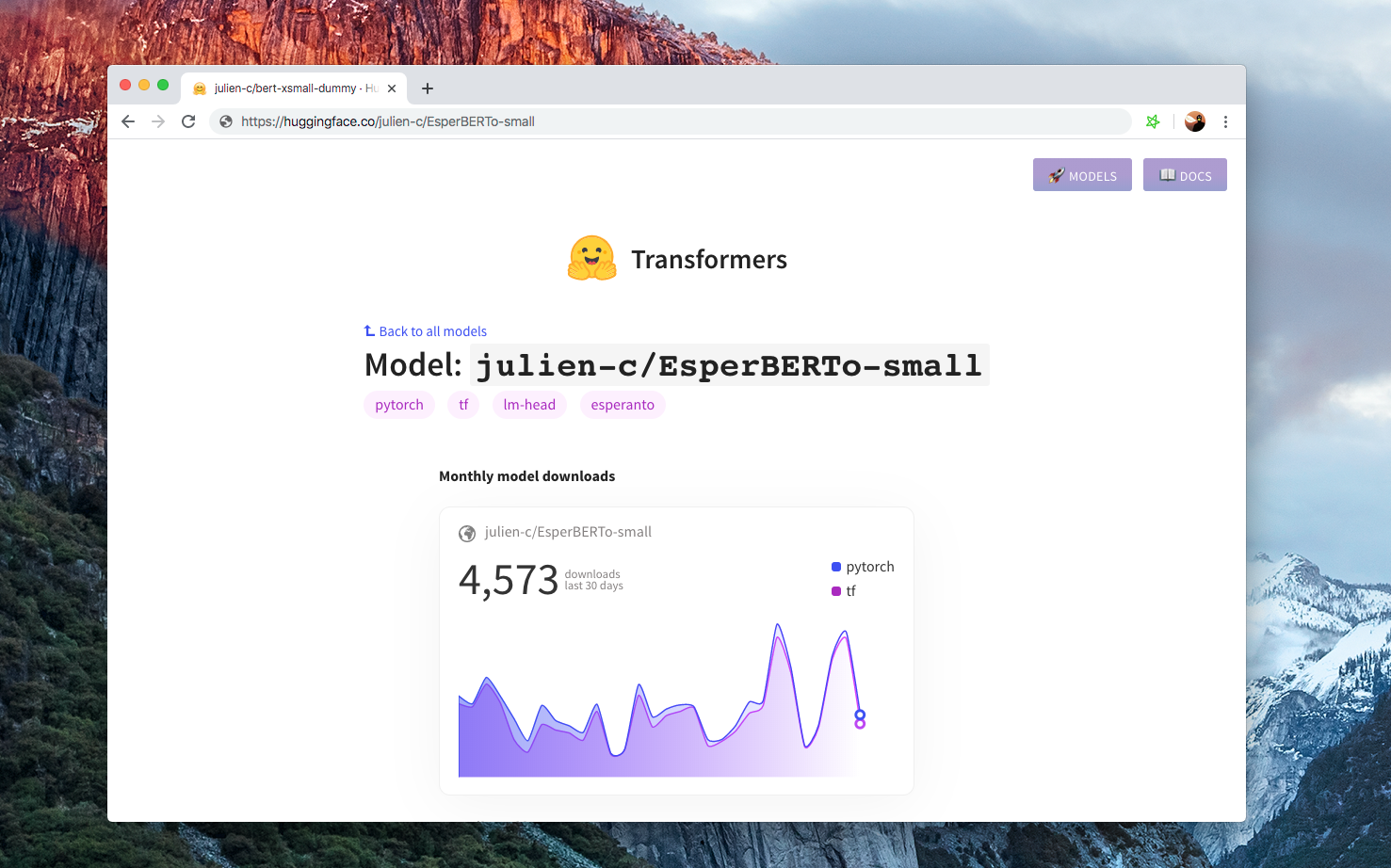
If you want to take a look at models in different languages, check https://huggingface.co/models