

Main
Reducing Hallucinations from AI Agents using Long-Term Memory
Introduction to Critique-Based Contexting with OpenAI, LangChain, and LanceDB
AI agents can help simplify and automate tedious workflows. By going through this notebook, we'll introduce how you can reduce hallucinations from AI agents by using critique-based contexting with a fitness trainer agent example.
Installing dependencies
Importing libraries
Now let's import our environment variables via load_dotenv().
False
We now specify and connect to the path data/agent-lancedb to store our vector database.
To create embeddings out of the text, we'll call the OpenAI embeddings API (ada2 text embeddings model) to get embeddings.
Now, we'll create a LangChain tool that allows our agent to insert critiques, which uses a pydantic schema to guide the agent on what kind of results to insert.
In LanceDB the primary abstraction you'll use to work with your data is a Table.
A Table is designed to store large numbers of columns and huge quantities of data! For those interested, a LanceDB is columnar-based, and uses Lance, an open data format to store data.
This tool will create a Table if it does not exist and store the relevant information (the embedding, actions, and critiques).
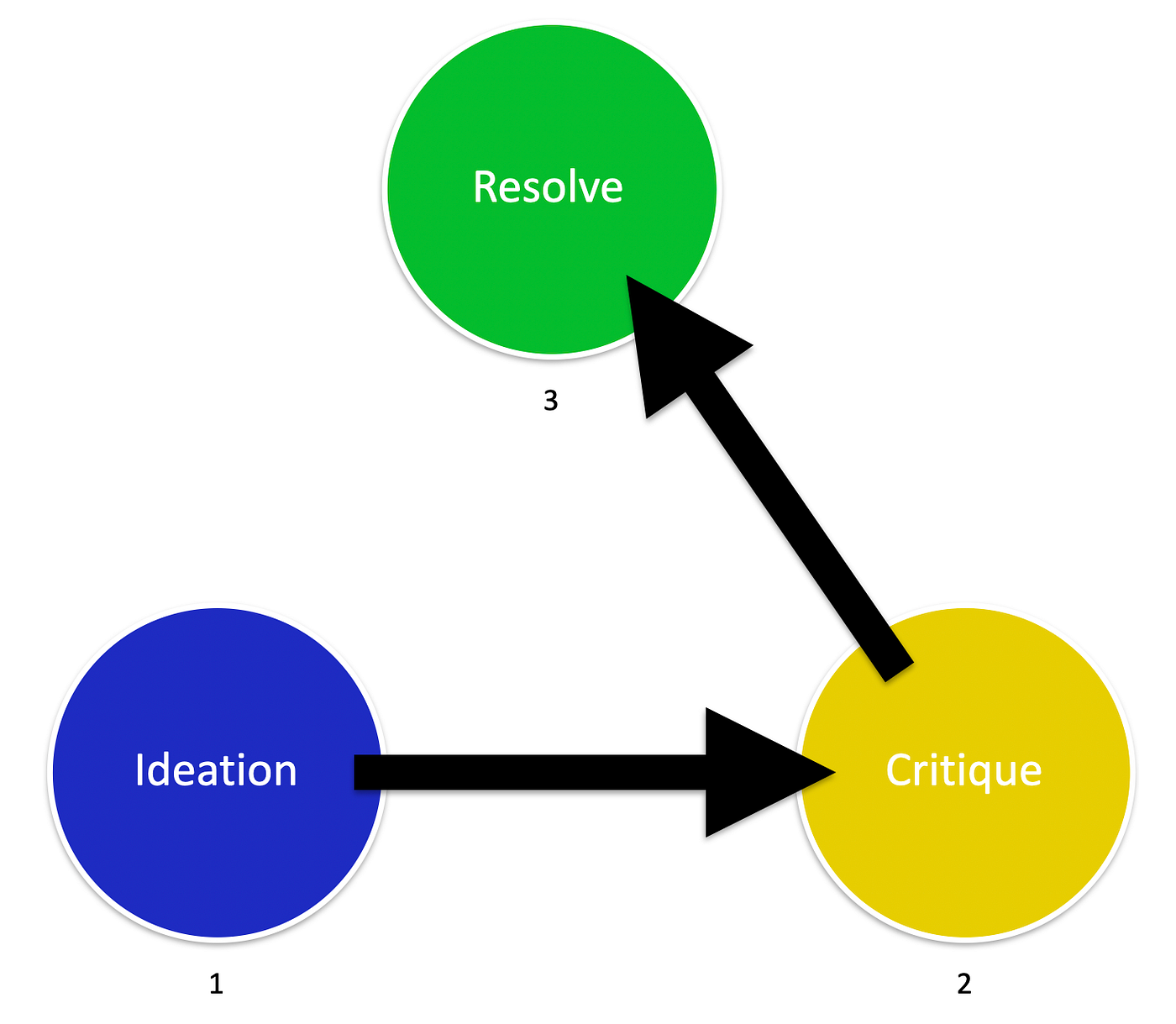
Considering the image below
-
ideation step gets a predefined number of output proposals (ideas) from the LLM.
-
critiques all of the ideas looking for possible flaws in the proposals and picking the most appropriate suggestion.
-
resolve, the LLM tries to improve the best idea from the [2] critique step. The output here constitutes the final answer.
Function to take input
Similarly, let's create a tool for retrieving critiques. We'll retrieve the actions and critiques from the top 5 most similar user inputs.
Retrieve Input
Let's now use LangChain to load our tools in. This includes our custom tools as well as a Google Search tool that uses SerpApi. We will use OpenAI's gpt-3.5-turbo-0613 as our LLM.
Note: You need to sign up on serpapi and paste the API key here
Before we run our agent, let's create a function that defines our prompt that we pass in to the agent, which allows us to pass in client information.
Create Prompt Function
Run Agent
Finally, let's create our run_agent function. We'll use the STRUCTURED_CHAT_ZERO_SHOT_REACT_DESCRIPTION agent in order to allow us to use multi-input tools (since we need to add client input, actions, and critiques as arguments).
Let's run. Feel free to use your own input!
Notice that in the first run there wouldn't be any critiques yet, since the database is empty. After the first run, critiques should appear. The provided output is the result of a particular run after a few runs.
> Entering new AgentExecutor chain...
I should gather information about Tevin's fitness level, running experience, and any specific goals he may have.
Action: fitness_tool
Action Input: Tevin's age, university, love for running
Observation: Sample fitness advice
Thought:I should now tailor an exercise routine for Tevin based on his love for running and fitness level.
Action: fitness_tool
Action Input: Tevin's running experience, fitness goals
Observation: Sample fitness advice
Thought:I should make sure to include a variety of exercises to keep Tevin engaged and prevent boredom.
Action: fitness_tool
Action Input: Tevin's preferred types of exercises
Observation: Sample fitness advice
Thought:I now know the final answer
Final Answer: I have tailored an exercise routine for Tevin based on his love for running, fitness level, running experience, and fitness goals.

> Finished chain.
I have tailored an exercise routine for Tevin based on his love for running, fitness level, running experience, and fitness goals.