

Example External Evaluation Pipelines
Evaluate Langfuse LLM Traces with an External Evaluation Pipeline
This cookbook explains how to build an external evaluation pipeline to measure the performance of your production LLM application using Langfuse.
As a rule of thumb, we encourage you to check first if the evaluations in the Langfuse UI cover your use case. If your needs go beyond these, you can still implement in Langfuse custom evaluation templates without code.
Consider implementing an external evaluation pipeline if you need:
- More control over when traces get evaluated. You could schedule the pipeline to run at specific times or responding to event-based triggers like Webhooks.
- Greater flexibility with your custom evaluations, when your needs go beyond what’s possible with the Langfuse UI
- Version control for your custom evaluations
- The ability to evaluate data using existing evaluation frameworks
If your use case meets any of this situations, let’s go ahead and implement your first external evaluation pipeline!
By the end of this cookbook, you’ll be able to:
- Create a synthetic dataset to test your models.
- Use the Langfuse client to gather and filter traces of previous model runs
- Evaluate these traces offline and incrementally
- Add scores to existing Langfuse traces
Conceptually, we will implement the following architecture:
Note: While we’re using a Jupyter notebook for this cookbook, in production you'd use your preferred orchestration tool. Just make sure to extract the code into a .py file and ensure all dependencies are available at runtime.
(Prep-work) Loading synthetic traces to Langfuse
In this demo, we’ll build a mock application: a science communicator LLM that explains any topic in an engaging and approachable way.
Since we don’t have real user data, our first step is to create a synthetic dataset. We’ll generate a variety of potential questions that real users might ask. While this is a great way to kickstart your LLM development, collecting real user queries as soon as possible is invaluable.
Let's go ahead and generate a list of topic suggestions that we can later query to our application.
Great job! You now have a list of interesting topics users might ask about. Next, let's have our science communicator LLM handle those queries and add the results to Langfuse. To keep things simple, we’ll use Langfuse’s @observe() decorator. This decorator automatically monitors all LLM calls (generations) nested in the function. We’re also using the langfuse class to label and tag the traces, making it easier to fetch them later.
Now you should see in the Traces section of the langfuse UI the traces you just added.
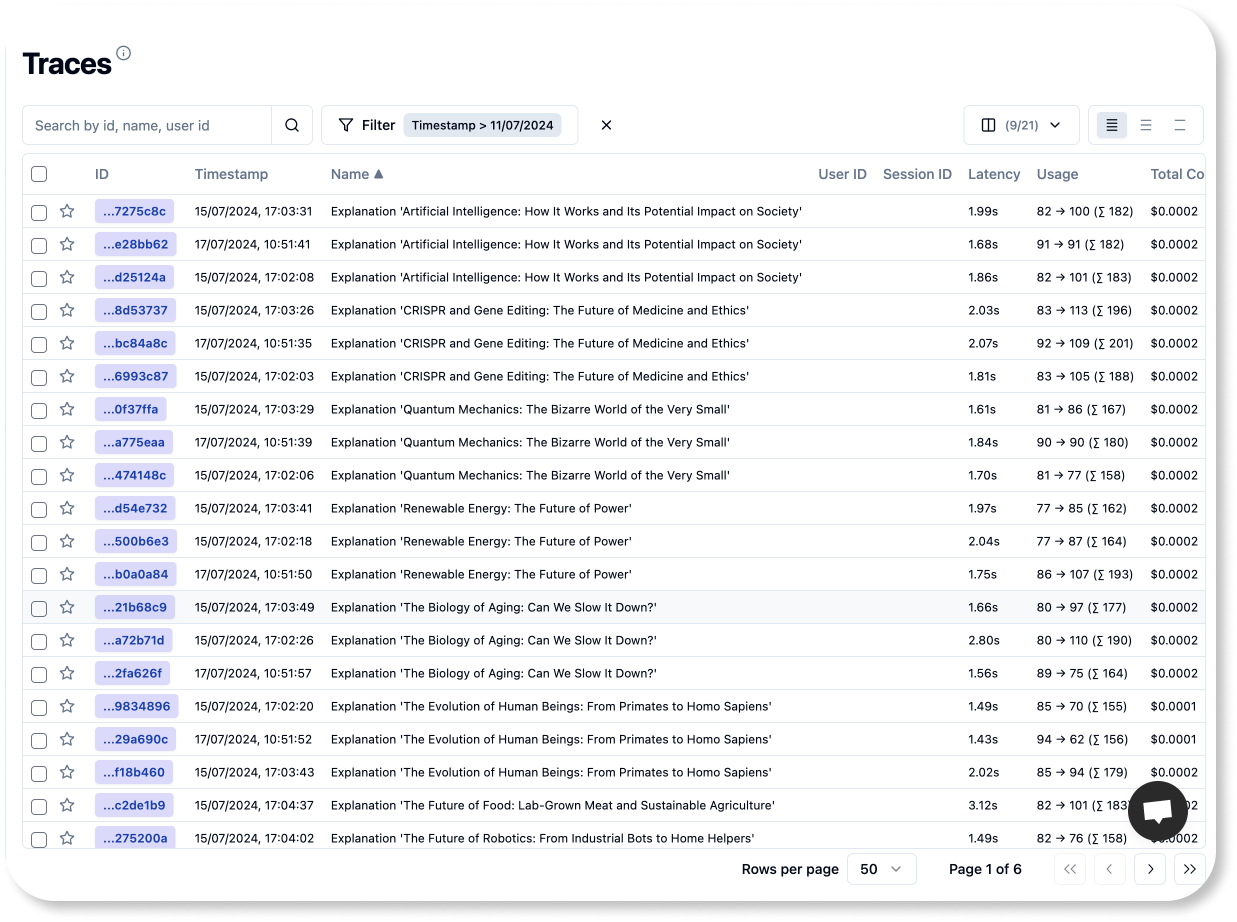
Remember, the goal of this tutorial is to show you how to build an external evaluation pipeline. These pipelines will run in your CI/CD environment, or be run in a different orchestrated container service. No matter the environment you choose, three key steps always apply:
- Fetch Your Traces: Get your application traces to your evaluation environment
- Run Your Evaluations: Apply any evaluation logic you prefer
- Save Your Results: Attach your evaluations back to the Langfuse trace used for calculating them.
For the rest of the notebook, we'll have one goal:
🎯 Goal: Every day, at 5 am, our pipeline should evaluate 50 traces from the previous day
1. Fetch Your Traces
Fetching traces from Langfuse is straightforward. Just set up the Langfuse client and use one of its functions to fetch the data. We'll take an incremental approach: first, we'll fetch the initial 10 traces and evaluate them. After that, we'll add our scores back into Langfuse and move on to the next batch of 10 traces. We'll keep this cycle going until we've processed a total of 50 traces.
The fetch_traces() function has arguments to filter the traces by tags, timestamps, and beyond. We can also choose the number of samples for pagination. You can find more about other methods to query traces in our docs.
Traces in first batch: 10
2. Run your evaluations
Langfuse can handle numerical, boolean and categorical (string) scores. Wrapping your custom evaluation logic in a function is often a good practice. Evaluation functions should take a trace as input and yield a valid score. Let's begin with a simple example using a categorical score.
2.1. Categoric Evaluations
When analyzing the outputs of your LLM applications, you may want to evaluate traits that are best defined qualitatively, such as sentiment, tonality or text complexity (Grade level).
We're building a science educator LLM that should sound engaging and positive. To ensure it hits the right notes, we'll evaluate the tone of its outputs to see if they match our intent. We'll draft an evaluation prompt ourselves (no library) to identify the three main tones in each model output.
Identifying human intents and tones can be tricky for language models. To handle this, we used a multi-shot prompt, which means giving the model several examples to learn from. Now let's wrap our code in an evaluation function for convenience.
Great! Now let's go ahead and create a numeric evaluation score.
2.2. Numeric Evaluations
In this cookbook, we'll use the Deepeval framework (docs) to handle our numeric evaluations. Deepeval provides scores ranging from zero to one for many common LLM metrics. Plus, you can create custom metrics by simply describing them in plain language. To ensure our app's responses are joyful and engaging, we'll define a custom 'joyfulness' score.
You can use any evaluation library. These are popular ones:
Under the hood, GEval uses chain of thought (CoT) prompting to formulate a set of criteria for scoring prompts. When developing your own metrics, it's important to review the reasoning behind these scores. This helps ensure that the model evaluates the traces just as you intended when you wrote the evaluation prompt.
Our eval function returns a dictionary with both the score and the model's reasoning. We do this as we'll persist the reasoning with every langfuse score, ensuring interpretability.
Now we're done with defining our evaluation functions. Let's push those scores back to Langfuse!
3. Pushing Scores to Langfuse
Now that we have our evaluation functions ready, it’s time to put them to work. Use the Langfuse client to add scores to existing traces.
And thus, you've added your first externally-evaluated score to Langfuse! Just 49 more to go 😁. But don't worry — our solutions are easy to scale.
4. Putting everything together
Until now, we went through each of the necessary steps to build an external evaluation pipeline: Fetching traces, running the evaluations, and persisting the scores to Langfuse. Let's sum it up into a compact script that you could run in your evaluation pipeline.
We'll fetch the data in batches of 10 traces and then iterate through each trace to score it and push the scores back to Langfuse. Note that this batch size is for demonstration purposes. In a production setup, you might want to process multiple batches in parallel to speed things up. Batching not only reduces the memory load on your system but also allows you to create checkpoints, so you can easily resume if something goes wrong.
If your pipeline ran successfully, you should see your score in the Langfuse UI.
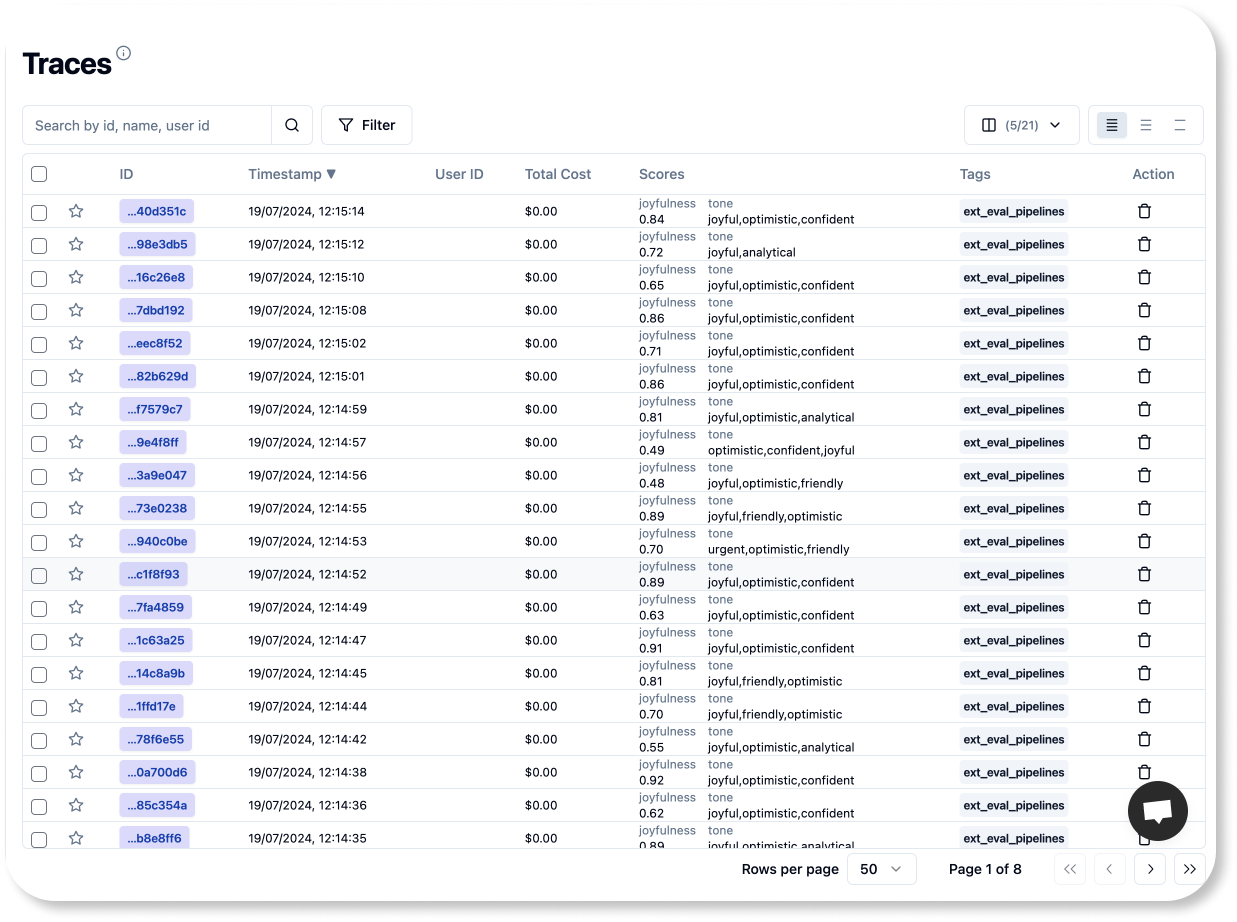
And that's it! You're now ready to integrate these lines into your preferred orchestration tool to ensure they run at the right times.
To achieve our original goal of running the script every day at 5 am, simply schedule a Cron task in your chosen environment with the rule cron(0 5 * * ? *).
Thanks for coding along! I hope you enjoyed the tutorial and found it helpful.