Integration Exa
Exa Integration
In this guide, we'll show you how to integrate Langfuse with Exa to trace your AI search operations. By leveraging Langfuse's tracing capabilities, you can automatically capture details such as inputs, outputs, and execution times of your Exa search functions.
What is Exa? Exa is an AI-powered search API built for LLMs and AI applications. Unlike traditional search engines, Exa is designed to understand semantic meaning and retrieve high-quality, relevant results that are perfect for AI use cases like RAG (Retrieval-Augmented Generation), research, and content discovery.
What is Langfuse? Langfuse is an open source LLM engineering platform that helps teams trace API calls, monitor performance, and debug issues in their AI applications.
Install Dependencies
First, install the necessary Python packages:
Set Up Environment Variables
Get your Langfuse API keys by signing up for Langfuse Cloud or self-hosting Langfuse. You'll also need your Exa and OpenAI API key.
With the environment variables set, we can now initialize the Exa and the Langfuse client.
Example 1: Trace Exa search_and_contents
To monitor your Exa search operations, we use the Langfuse @observe() decorator. In this example, the @observe() decorator captures the inputs, outputs, and execution time of the search_with_exa() function. For more control over the data you are sending to Langfuse, you can use the Context Manager or create manual observations using the Python SDK.
Example 2: Exa Search together with OpenAI
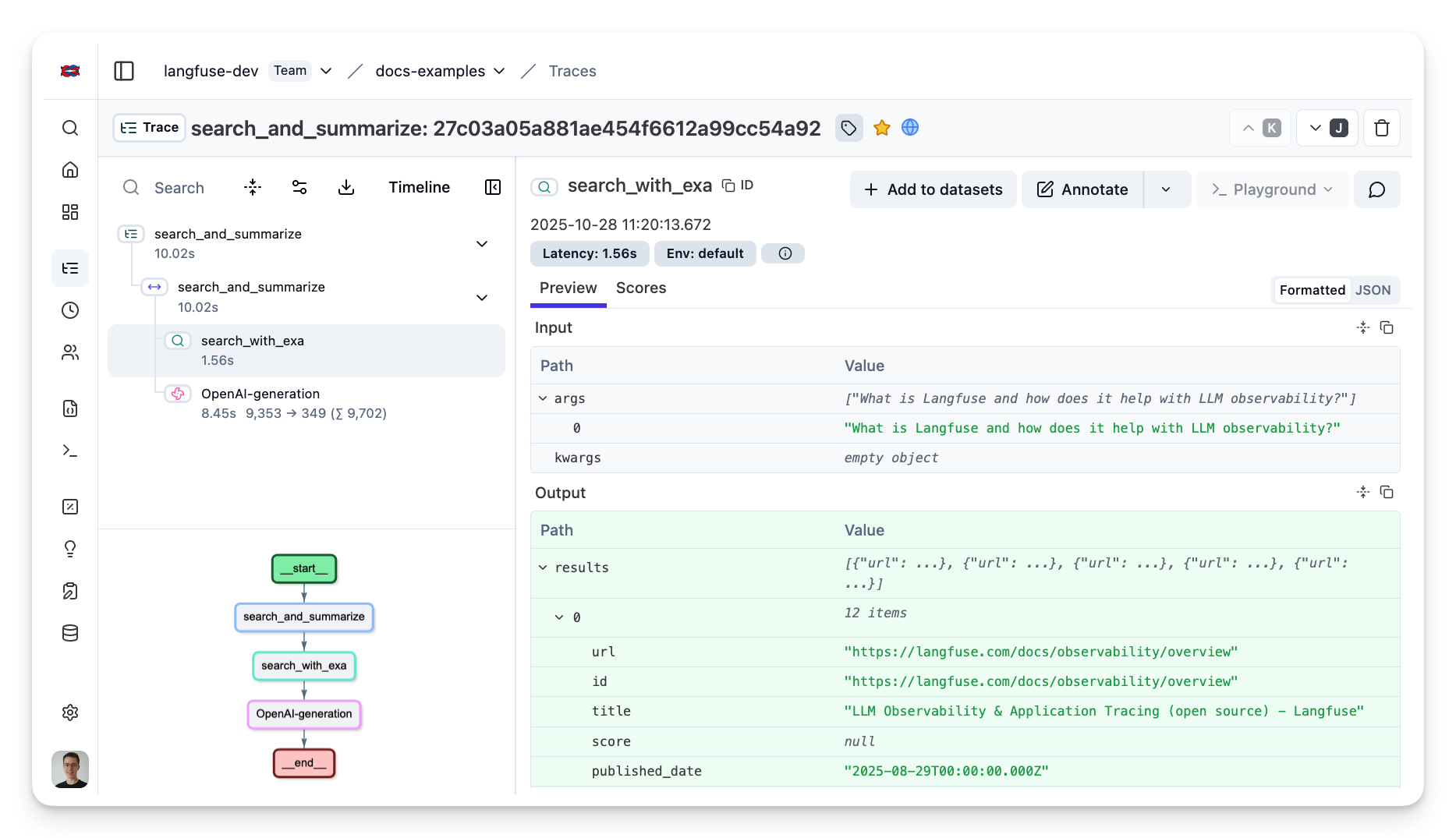
You can also trace more complex workflows that involve summarizing the search results with OpenAI. Here we use the Langfuse @observe() decorator to group both the Exa search and the OpenAI generation into one trace.
See Traces in Langfuse
After executing the traced functions, log in to your Langfuse Dashboard to view detailed trace logs. You'll be able to see:
- Search queries and their parameters
- Response times for each API call
- Nested traces showing the relationship between search and similarity operations
- Full input and output data for debugging