Integration Firecrawl
Firecrawl Integration
In this guide, we'll show you how to integrate Langfuse with Firecrawl to trace your web scraping operations. By leveraging Langfuse’s tracing capabilities, you can automatically capture details such as inputs, outputs, and execution times of your Firecrawl functions.
What is Firecrawl? Firecrawl is an API service that crawls websites—automatically processing the target URL and its accessible subpages—and converts the retrieved content into clean, LLM-ready markdown. It offers robust scraping, crawling, and extraction capabilities that transform web content (including HTML, metadata, and more) into structured data for various applications.
What is Langfuse? Langfuse is an open source LLM engineering platform that helps teams trace API calls, monitor performance, and debug issues in their AI applications.
Get Started
First, install the necessary Python packages:
Next, configure your environment with your Langfuse API keys. You can obtain your keys from your Langfuse dashboard.
Initialize the Firecrawl application with your Firecrawl API key.
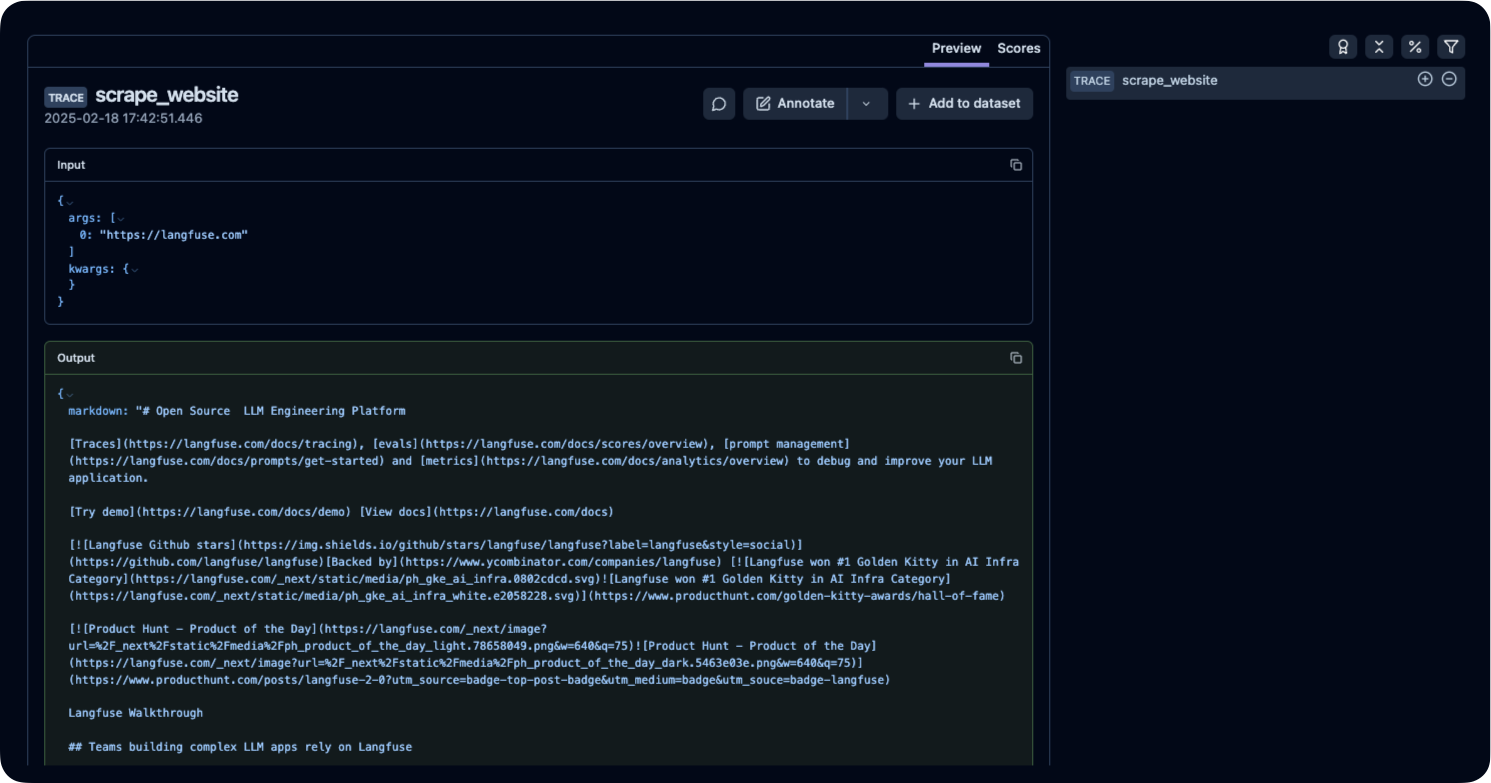
To monitor your Firecrawl scraper, we use the Langfuse @observe() decorator. In this example, the @observe() decorator captures the inputs, outputs, and execution time of the scrape_website() function. All trace data is automatically sent to Langfuse, allowing you to monitor your Firecrawl operations in real time.
See Traces in Langfuse
After executing the traced function, log in to your Langfuse Dashboard to view detailed trace logs.