Integration Google Adk
Integrate Langfuse with Google's Agent Development Kit
This notebook demonstrates how to capture detailed traces from a Google Agent Development Kit (ADK) application with Langfuse using the OpenTelemetry (OTel) protocol.
Why Agent Development Kit?
Google’s Agent Development Kit streamlines building, orchestrating, and tracing generative-AI agents out of the box, letting you move from prototype to production far faster than wiring everything yourself.
Why Langfuse?
Langfuse gives you a detailed dashboard and rich analytics for every prompt, model response, and function call in your agent, making it easy to debug, evaluate, and iterate on LLM apps.
Step 1: Install dependencies
Step 2: Set up environment variables
Fill in the Langfuse and your Gemini API key.
With the environment variables set, we can now initialize the Langfuse client. get_client() initializes the Langfuse client using the credentials provided in the environment variables.
Langfuse client is authenticated and ready!
Step 3: OpenTelemetry Instrumentation
Use the GoogleADKInstrumentor library to wrap ADK calls and send OpenTelemetry spans to Langfuse.
Step 3: Build a hello world agent
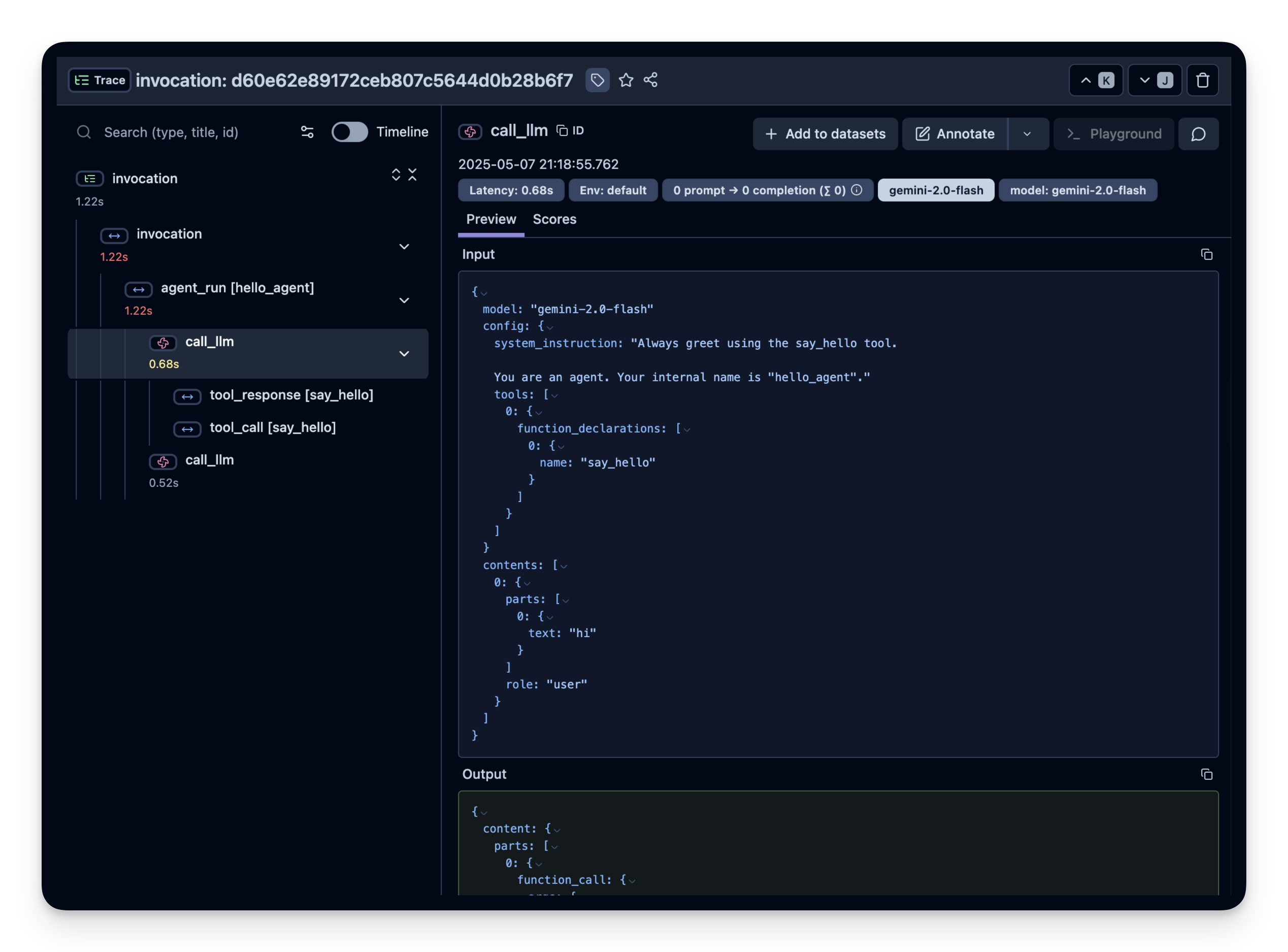
Every tool call and model completion is captured as an OpenTelemetry span and forwarded to Langfuse.
Step 4: View the trace in Langfuse
Head over to your Langfuse dashboard → Traces. You should see traces including all tool calls and model inputs/outputs.