Integration Google Gemini
Trace Google Gemini Models in Langfuse
This notebook shows how to trace and observe Google Gemini models with Langfuse and the Google GenAI SDK.
What is Google Gemini? Google Gemini is Google’s family of multimodal generative models (text, images, audio, video, code) available through the Gemini API and Vertex AI, with tiers like Flash and Pro for different speed/quality needs.
What is the Google GenAI SDK? The Google GenAI SDK is a unified client library (Python/JavaScript) that simplifies calling Gemini—handling auth (API key or ADC), streaming, tool/function calling, and safety—so you can integrate models in a few lines.
What is Langfuse? Langfuse is an open source platform for LLM observability and monitoring. It helps you trace and monitor your AI applications by capturing metadata, prompt details, token usage, latency, and more.
Step 1: Install Dependencies
Before you begin, install the necessary packages in your Python environment:
Step 2: Configure Langfuse SDK
Next, set up your Langfuse API keys. You can get these keys by signing up for a free Langfuse Cloud account or by self-hosting Langfuse. These environment variables are essential for the Langfuse client to authenticate and send data to your Langfuse project.
Also set your Google Vertex API credentials which uses Application Default Credentials (ADC) from a service account key file.
With the environment variables set, we can now initialize the Langfuse client. get_client() initializes the Langfuse client using the credentials provided in the environment variables.
Step 3: OpenTelemetry Instrumentation
Use the GoogleGenAIInstrumentor library to wrap Google GenAI SDK calls and send OpenTelemetry spans to Langfuse.
Step 4: Run an Example
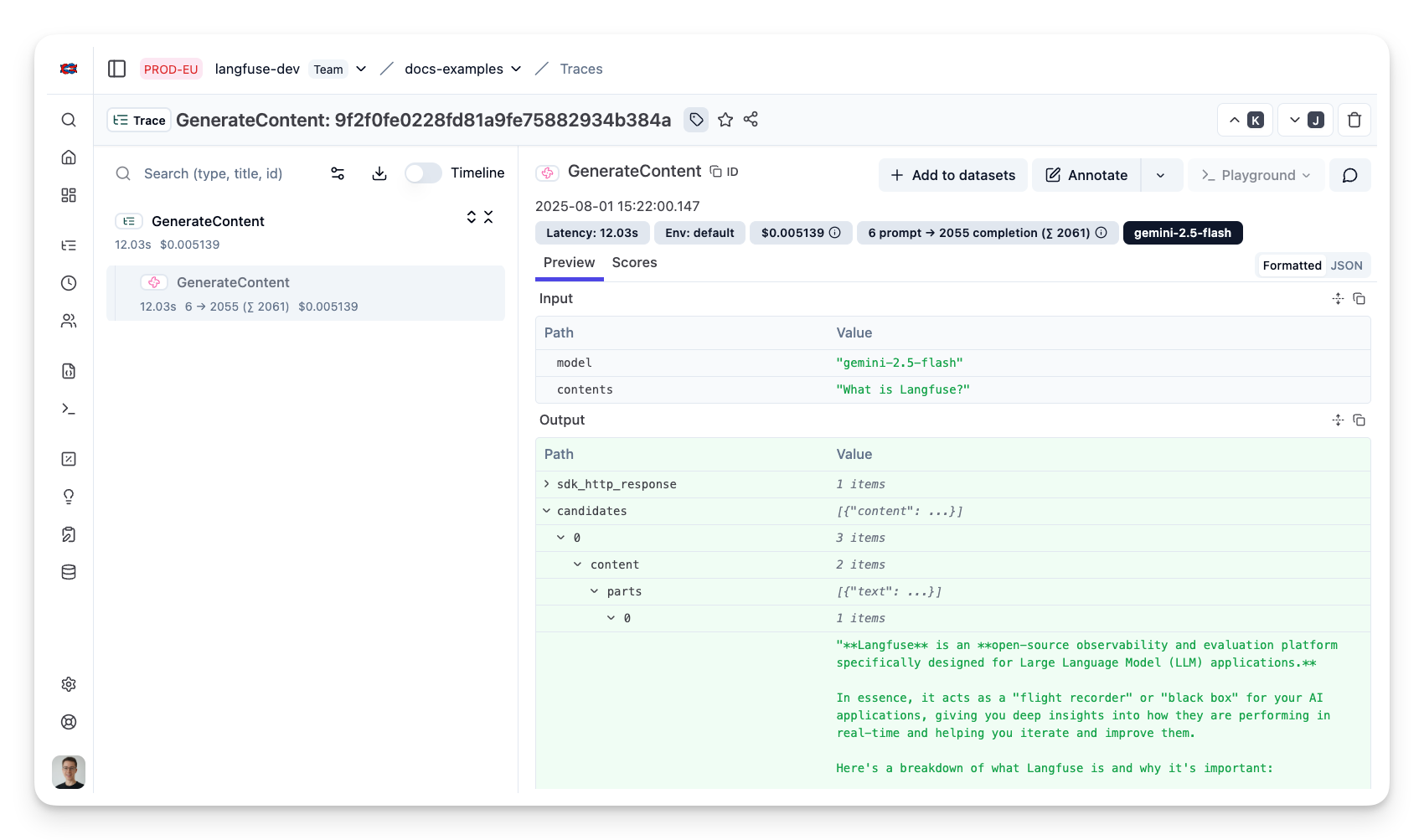
View Traces in Langfuse
After executing the application, navigate to your Langfuse Trace Table. You will find detailed traces of the application's execution, providing insights into the agent conversations, LLM calls, inputs, outputs, and performance metrics.