Integration Groq Sdk
Cookbook: Observability for Groq Models (Python)
This cookbook shows two ways to interact with Groq models and trace them with Langfuse:
- Using the OpenAI SDK to interact with the Groq model
- Using the OpenInference instrumentation library to interact with Groq models
By following these examples, you'll learn how to log and trace interactions with Groq language models, enabling you to debug and evaluate the performance of your AI-driven applications.
Note: Langfuse is also natively integrated with LangChain, LlamaIndex, LiteLLM, and other frameworks. If you use one of them, any use of Groq models is instrumented right away.
To get started, set up your environment variables for Langfuse and Groq:
Option 1: Using the OpenAI SDK to interact with the Groq model
Note: This example shows how to use the OpenAI Python SDK. If you use JS/TS, have a look at our OpenAI JS/TS SDK.
Install Required Packages
Import Necessary Modules
Instead of importing openai directly, import it from langfuse.openai. Also, import any other necessary modules.
Initialize the OpenAI Client for the Groq Model
Initialize the OpenAI client but point it to the Groq model endpoint. Replace the access token with your own.
Chat Completion Request
Use the client to make a chat completion request to the Groq model.
Option 2: Using the OpenInference instrumentation
This option will use the OpenInference instrumentation library to send traces to Langfuse.
For more detailed guidance on the Groq SDK, please refer to the Groq Documentation and the Langfuse Documentation.
Install Required Packages
With the environment variables set, we can now initialize the Langfuse client. get_client() initializes the Langfuse client using the credentials provided in the environment variables.
OpenTelemetry Instrumentation
Use the OpenInference instrumentation library to wrap the Groq SDK calls and send OpenTelemetry spans to Langfuse.
Example LLM Call
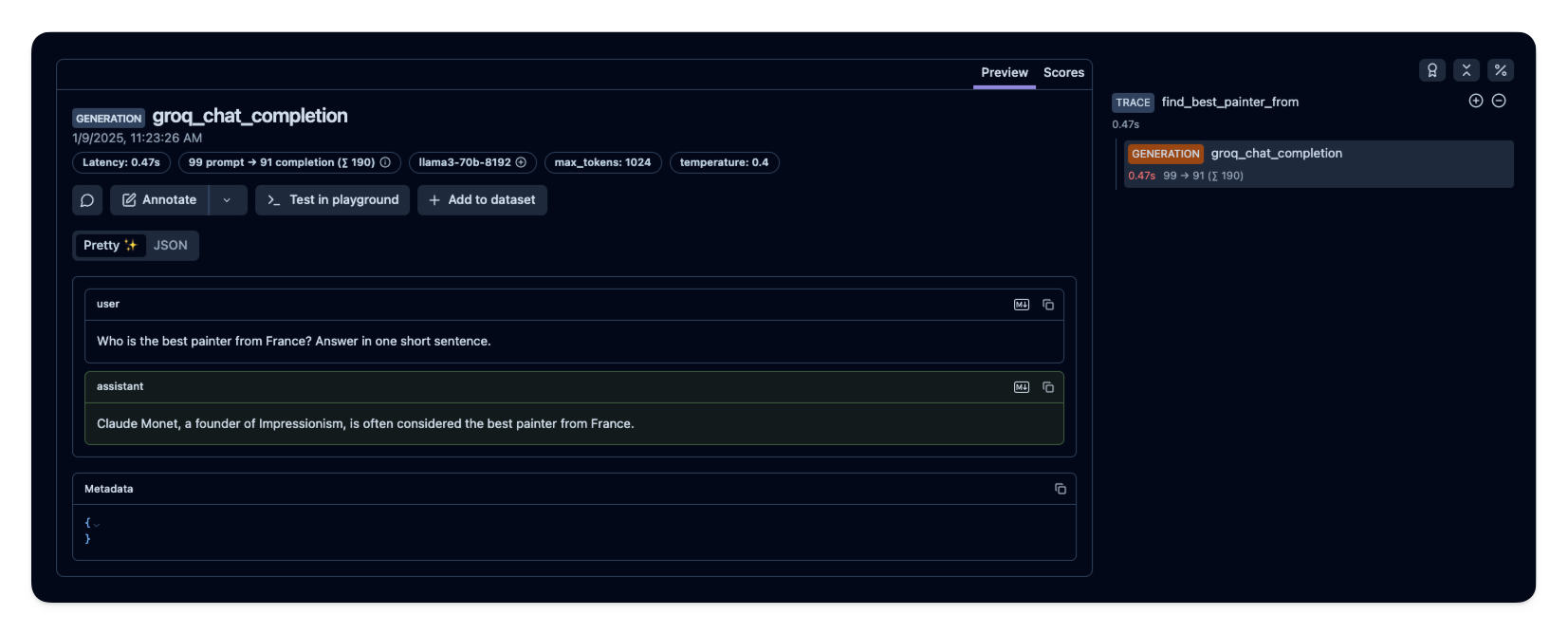
See Traces in Langfuse
After running the example model call, you can see the traces in Langfuse. You will see detailed information about your Groq API calls, including:
- Request parameters (model, messages, temperature, etc.)
- Response content
- Token usage statistics
- Latency metrics