

Integration Novitaai
Observability for Novita AI with Langfuse
This guide shows you how to integrate Novita AI with Langfuse. Novita AI's API endpoints for chat, language and code are fully compatible with OpenAI's API. This allows us to use the Langfuse OpenAI drop-in replacement to trace all parts of your application.
What is Langfuse? Langfuse is an open source LLM engineering platform that helps teams trace API calls, monitor performance, and debug issues in their AI applications.
Step 1: Install Dependencies
Make sure you have installed the necessary Python packages:
Step 2: Set Up Environment Variables
Step 3: Langfuse OpenAI drop-in Replacement
In this step we use the native OpenAI drop-in replacement by importing from langfuse.openai import openai.
To start using Novita AI with OpenAI's client libraries, pass in your Novita AI API key to the api_key option, and change the base_url to https://api.novita.ai/v3/openai:
Note: The OpenAI drop-in replacement is fully compatible with the Low-Level Langfuse Python SDKs and @observe() decorator to trace all parts of your application.
Step 4: Run An Example
The following cell demonstrates how to call Novita AI's chat model using the traced OpenAI client. All API calls will be automatically traced by Langfuse.
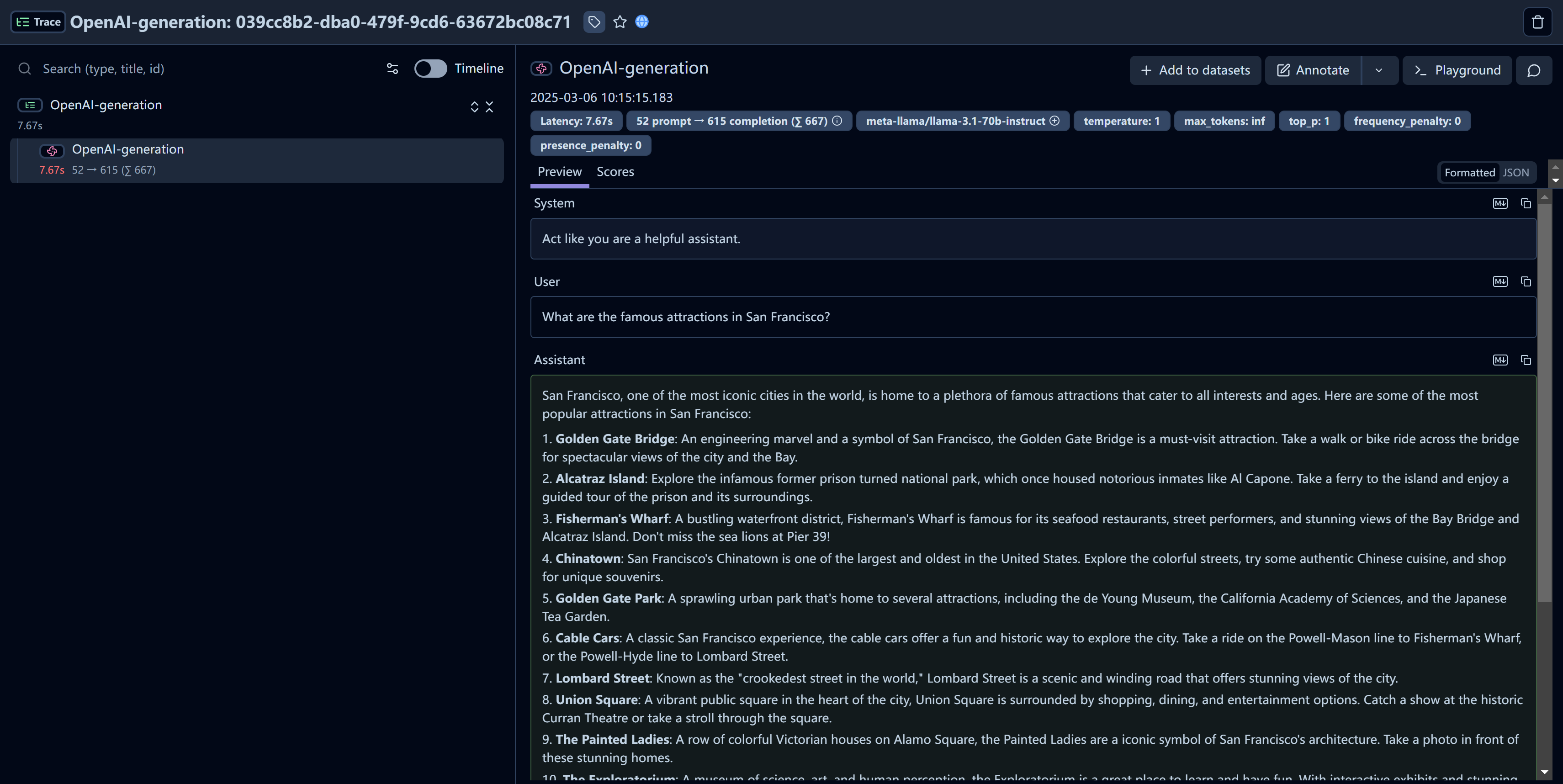
Step 5: See Traces in Langfuse
After running the example model call, you can see the traces in Langfuse. You will see detailed information about your Novita AI API calls, including:
- Request parameters (model, messages, temperature, etc.)
- Response content
- Token usage statistics
- Latency metrics
Resources
- Check the Novita AI Documentation for further details on available models and API options.
- Visit Langfuse to learn more about monitoring and tracing capabilities for your LLM applications.