

Integration Openai Assistants
title: OSS Observability for OpenAI Assistants API sidebarTitle: OpenAI Assistants API description: Use of Langfuse decorator to trace calls made to openai assistants category: Integrations logo: /images/integrations/openai_icon.svg
Cookbook: Observability for OpenAI Assistants API with Langfuse
This cookbook demonstrates how to use the Langfuse observe decorator to trace calls made to the OpenAI Assistants API. It covers creating an assistant, running it on a thread, and observing the execution with Langfuse tracing.
Note: The native OpenAI SDK wrapper does not support tracing of the OpenAI assistants API, you need to instrument it via the decorator as shown in this notebook.
What is the Assistants API?
The Assistants API from OpenAI allows developers to build AI assistants that can utilize multiple tools and data sources in parallel, such as code interpreters, file search, and custom tools created by calling functions. These assistants can access OpenAI's language models like GPT-4 with specific prompts, maintain persistent conversation histories, and process various file formats like text, images, and spreadsheets. Developers can fine-tune the language models on their own data and control aspects like output randomness. The API provides a framework for creating AI applications that combine language understanding with external tools and data.
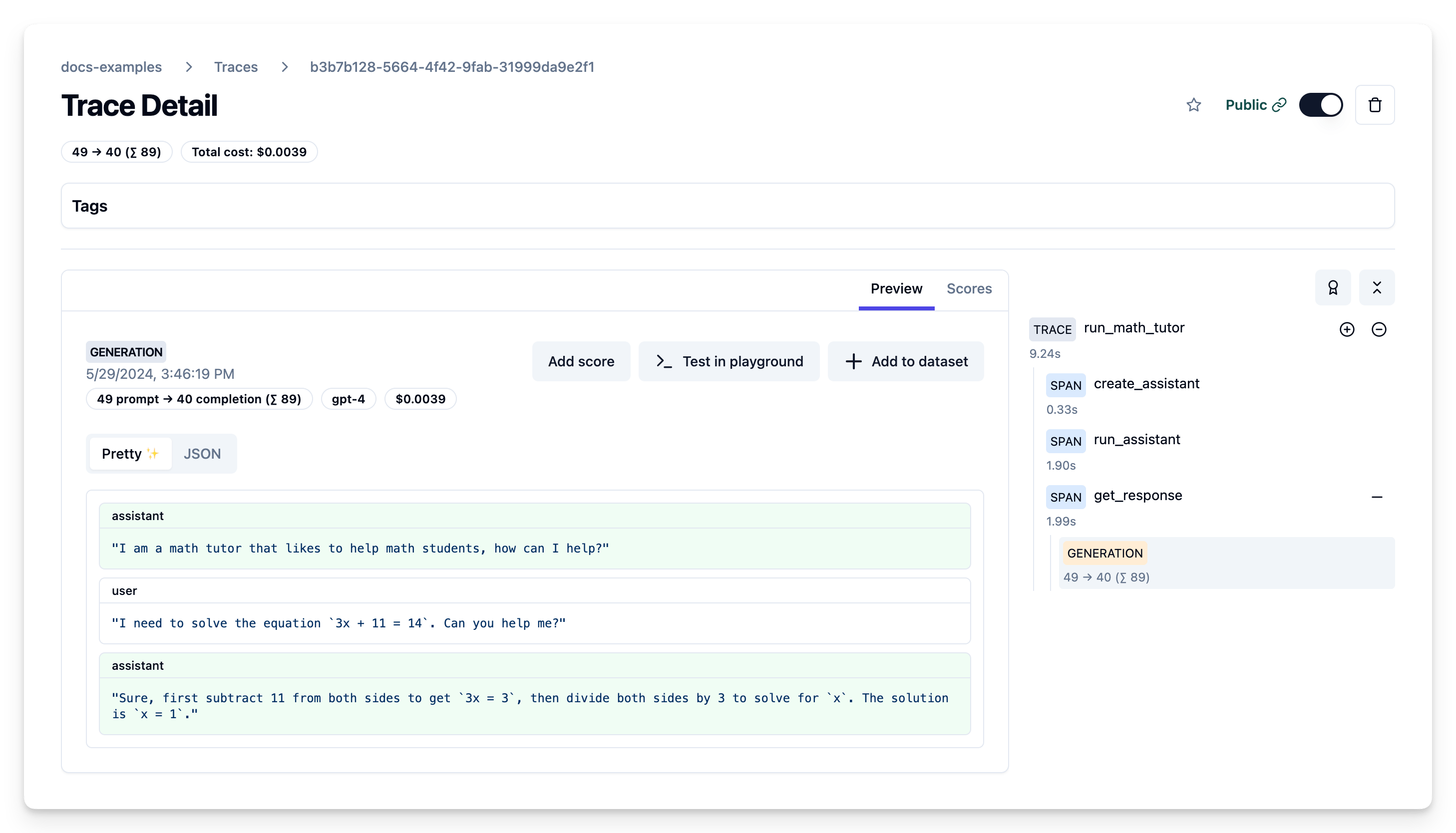
Example Trace Output
Setup
Install the required packages:
Note: This guide uses our Python SDK v2. We have a new, improved SDK available based on OpenTelemetry. Please check out the SDK v3 for a more powerful and simpler to use SDK.
Set your environment:
Step by step
1. Creating an Assistant
Use the client.beta.assistants.create method to create a new assistant. Alternatively you can also create the assistant via the OpenAI console:
Public link of example trace of assistant creation
2. Running the Assistant
Create a thread and run the assistant on it:
Public link of example trace of message and trace creation
3. Getting the Response
Retrieve the assistant's response from the thread:
Public link of example trace of fetching the response
All in one trace
The Langfuse trace shows the flow of creating the assistant, running it on a thread with user input, and retrieving the response, along with the captured input/output data.
Learn more
If you use non-Assistants API endpoints, you can use the OpenAI SDK wrapper for tracing. Check out the Langfuse documentation for more details.