Integration Smolagents
Integrate Langfuse with smolagents
This notebook shows how to monitor and debug your Hugging Face smolagents with Langfuse using the SmolagentsInstrumentor. By the end of this guide, you will be able to trace your smolagents applications with Langfuse.
What are smolagents? smolagents is a minimalist and open-source AI agent framework developed by Hugging Face, designed to simplify the creation and deployment of powerful agents with just a few lines of code. It focuses on simplicity and efficiency, making it easy for developers to leverage LLMs for various applications.
What is Langfuse? Langfuse is an open-source platform for LLM engineering. It provides tracing and monitoring capabilities for AI agents, helping developers debug, analyze, and optimize their products. Langfuse integrates with various tools and frameworks via native integrations, OpenTelemetry, and SDKs.
Get Started
We'll walk through a simple example of using smolagents and integrating it with Langfuse.
Step 1: Install Dependencies
Step 2: Set Up Environment Variables
Get your Langfuse API keys by signing up for Langfuse Cloud or self-hosting Langfuse.
Also, add your Hugging Face token (HF_TOKEN) as an environment variable.
With the environment variables set, we can now initialize the Langfuse client. get_client() initializes the Langfuse client using the credentials provided in the environment variables.
Langfuse client is authenticated and ready!
Step 3: Initialize the SmolagentsInstrumentor
Initialize the [SmolagentsInstrumentor](https://pypi.org/project/openinference-instrumentation-smolagents/) before your application code.
Step 4: Run your smolagent
This smolagent example has a manager CodeAgent that orchestrates the managed_agent, which can perform web searches to gather data. By using tools like DuckDuckGoSearchTool and VisitWebpageTool, it retrieves the U.S. 2024 growth rate and calculates how many years it will take for the GDP to double.
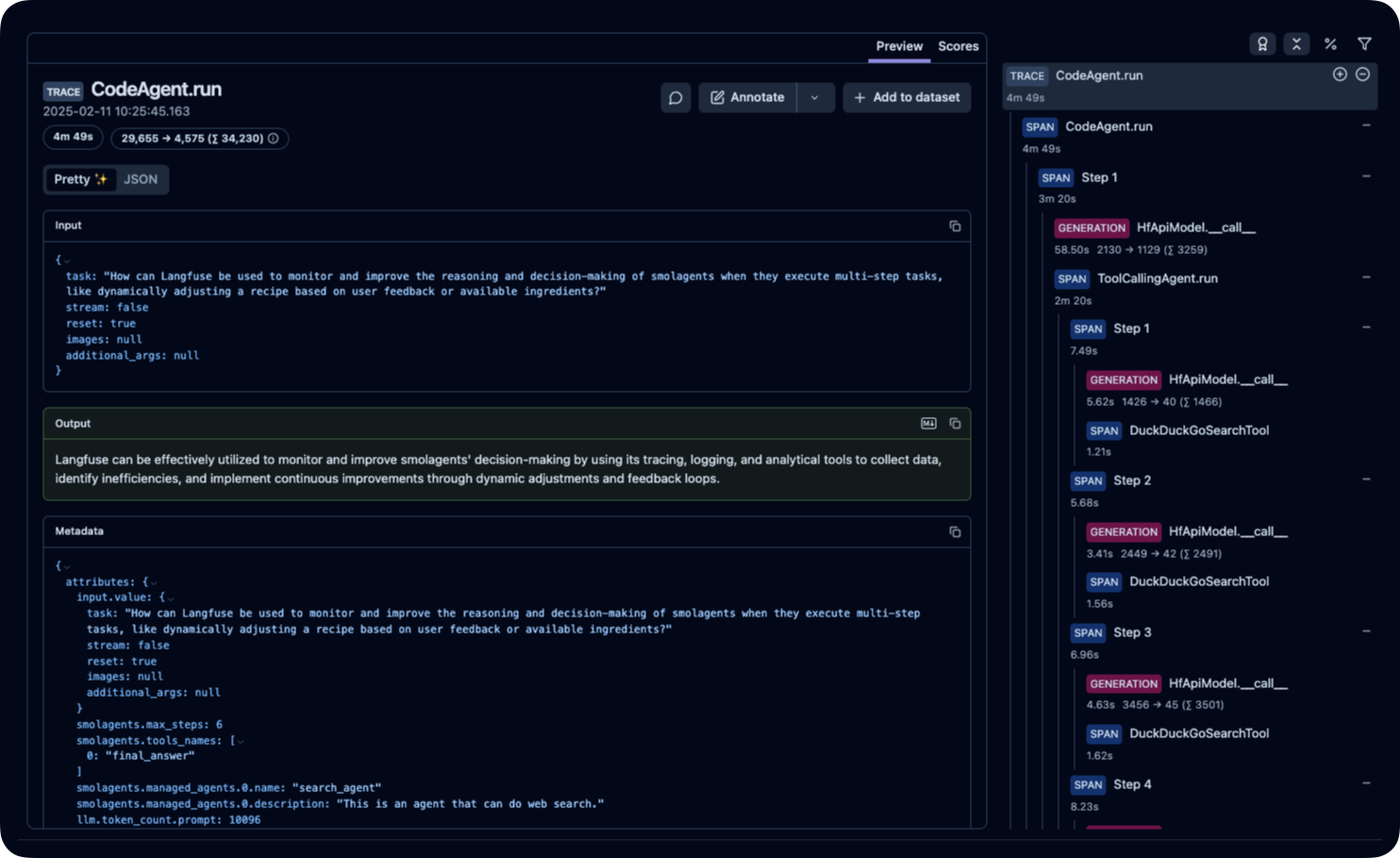
Step 5: View Traces in Langfuse
After running the agent, you can view the traces generated by your smolagents application in Langfuse. You should see detailed steps of the LLM interactions, which can help you debug and optimize your AI agent.