Integration X Ai Grok
Observability for xAI / Grok with Langfuse
This guide shows you how to integrate Grok with Langfuse using the OpenAI SDK.
What is Grok? Grok is X.ai’s advanced AI platform that streamlines natural language processing for intelligent application integration. Learn more at Grok Documentation.
What is Langfuse? Langfuse is an open source LLM engineering platform that helps teams trace API calls, monitor performance, and debug issues in their AI applications.
Step 1: Install Dependencies
Make sure you have installed the necessary Python packages:
Step 2: Set Up Environment Variables
Step 3: Use Grok with the OpenAI SDK
To utilize Grok through the OpenAI SDK, we use the Langfuse drop-in replacement for OpenAI. Replace the base URL with Grok’s endpoint.
Step 4: Run an Example
The following example demonstrates how to make a simple request using Grok's API. All API calls will be automatically traced by Langfuse.
Step 5: Enhance Tracing (Optional)
You can enhance your Grok traces:
- Add metadata, tags, log levels and user IDs to traces
- Group traces by sessions
@observe()decorator to trace additional application logic- Use Langfuse Prompt Management and link prompts to traces
- Add score to traces
Visit the OpenAI SDK cookbook to see more examples on passing additional parameters. Find out more about Langfuse Evaluations and Prompt Management in the Langfuse documentation.
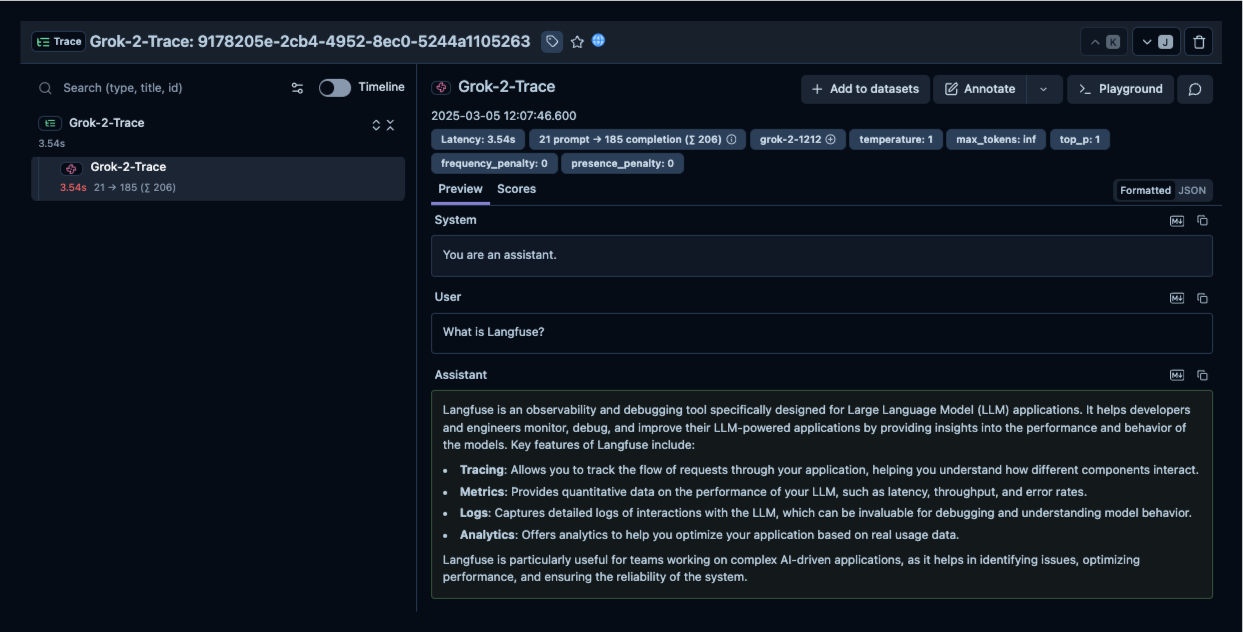
Step 6: See Traces in Langfuse
After running the example, log in to Langfuse to view the detailed traces, including:
- Request parameters
- Response content
- Token usage and latency metrics