

Js Integration Litellm Proxy
Cookbook: LiteLLM (Proxy) + Langfuse OpenAI Integration (JS/TS)


This notebook demonstrates how to use the following stack to experiment with 100+ LLMs from different providers without changing code:
- LiteLLM Proxy (GitHub): Standardizes 100+ model provider APIs on the OpenAI API schema.
- Langfuse OpenAI SDK Wrapper (JS/TS): Natively instruments calls to 100+ models via the OpenAI SDK.
- Langfuse: OSS LLM Observability, full overview here.
Note: This cookbook uses Deno.js for execution, which requires different syntax for importing packages and setting environment variables. For Node.js applications, the setup process is similar but uses standard
npmpackages andprocess.env.
Set Up Environment
Get your Langfuse API keys by signing up for Langfuse Cloud or self-hosting Langfuse. You’ll also need your OpenAI API key.
Note: This cookbook uses Deno.js for execution, which requires different syntax for importing packages and setting environment variables. For Node.js applications, the setup process is similar but uses standard
npmpackages andprocess.env.
With the environment variables set, we can now initialize the langfuseSpanProcessor which is passed to the main OpenTelemetry SDK that orchestrates tracing.
Setup Lite LLM Proxy
In this example, we'll use llama3 via the Ollama on our local machine.
Steps
- Create a
litellm_config.yamlto configure which models are available (docs). We'll use llama3 via Ollama in this example. - Ensure that you installed Ollama and have pulled the llama3 (8b) model:
ollama pull llama3 - Run the following cli command to start the proxy:
litellm --config litellm_config.yaml
The Lite LLM Proxy should be now running on http://0.0.0.0:4000
To verify the connection you can run litellm --test
Log single LLM Call via Langfuse OpenAI Wrapper
The Langfuse SDK offers a wrapper function around the OpenAI SDK, automatically logging all OpenAI calls as generations to Langfuse. We wrap the client for each call separately in order to be able to pass a name. For more details, please refer to our documentation.
6
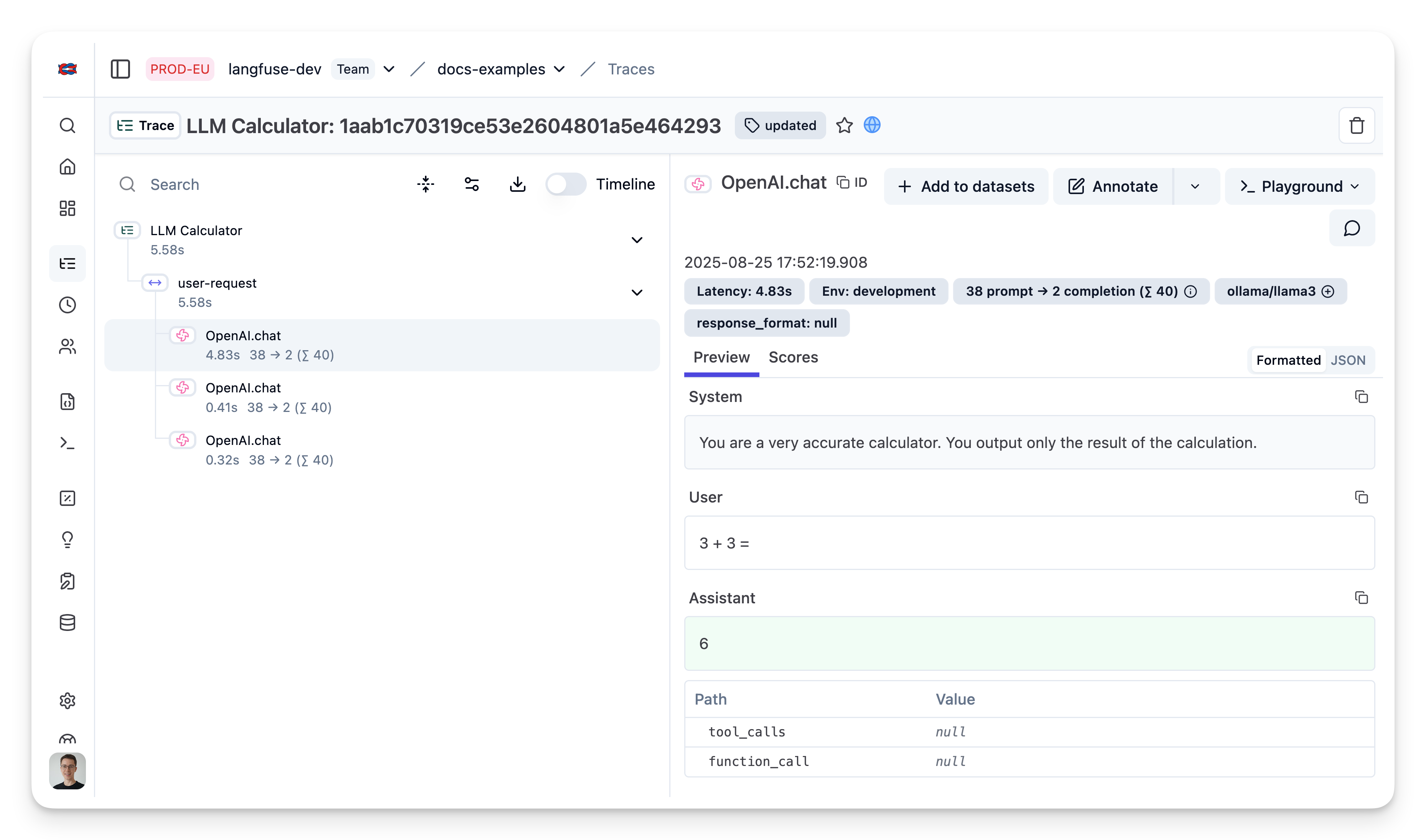
Trace nested LLM Calls using Langfuse JS SDK
Use the context manager of the Langfuse TypeScript SDK to group multiple LiteLLM generations together and update the top level span.
Learn more
Check out the docs to learn more about all components of this stack:
If you do not want to capture traces via the OpenAI SDK Wrapper, you can also directly log requests from the LiteLLM Proxy to Langfuse. For more details, refer to the LiteLLM Docs.