

Prompt Management Langchain
Example: Langfuse Prompt Management with Langchain (Python)


Langfuse Prompt Management helps to version control and manage prompts collaboratively in one place. This example demostrates how to use prompts managed in Langchain applications.
In addition, we use Langfuse Tracing via the native Langchain integration to inspect and debug the Langchain application.
Setup
Add prompt to Langfuse Prompt Management
We add the prompt used in this example via the SDK. Alternatively, you can also edit and version the prompt in the Langfuse UI.
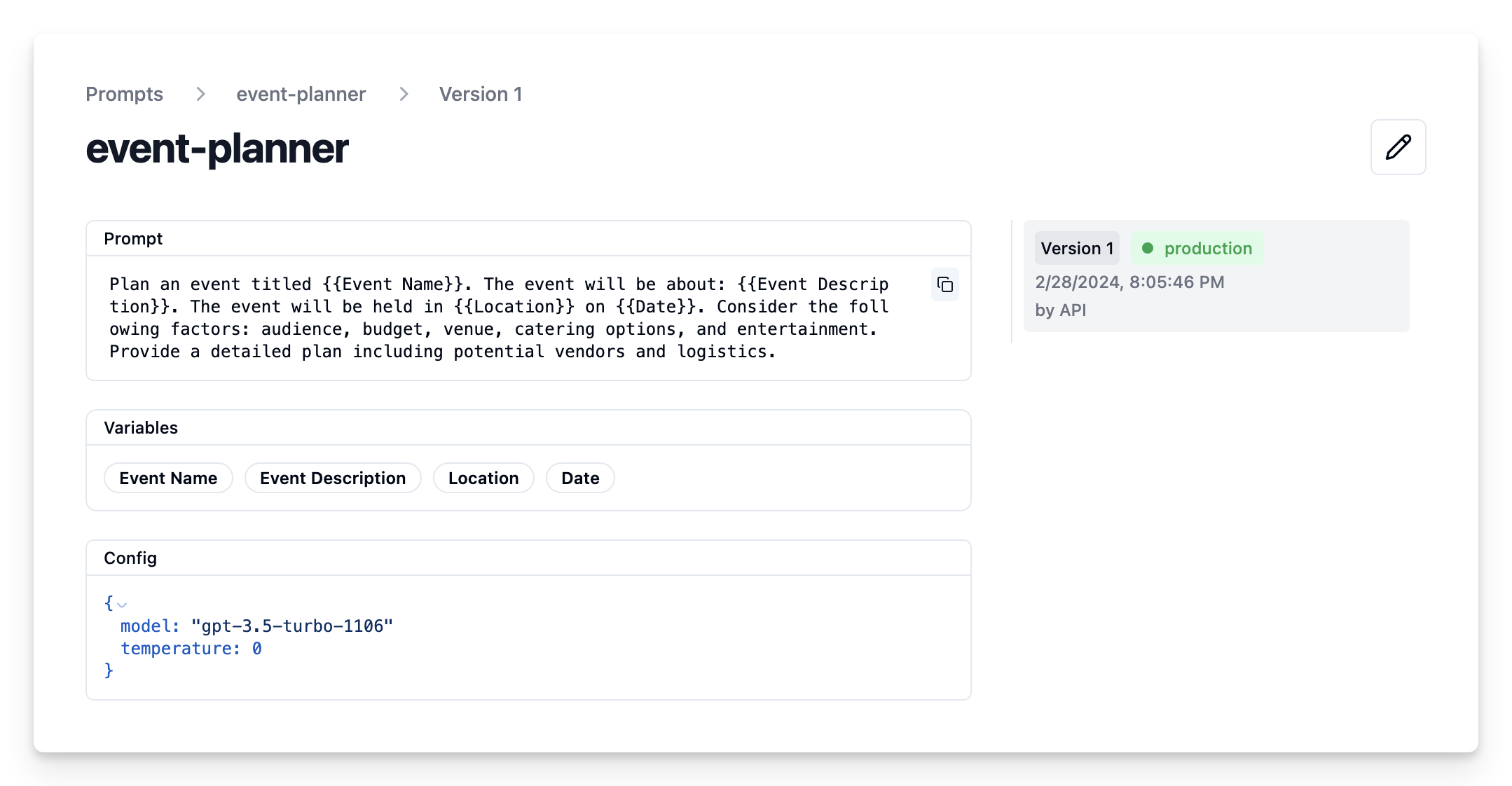
Namethat identifies the prompt in Langfuse Prompt Management- Prompt with prompt template incl.
{{input variables}} - Config including
model_nameandtemperature labelsto includeproductionto immediately use prompt as the default
Prompt in Langfuse UI
Example application
Get current prompt version from Langfuse
print(langfuse_prompt.prompt)
Plan an event titled {{Event Name}}. The event will be about: {{Event Description}}. The event will be held in {{Location}} on {{Date}}. Consider the following factors: audience, budget, venue, catering options, and entertainment. Provide a detailed plan including potential vendors and logistics.
Transform into Langchain PromptTemplate
Use the utility method .get_langchain_prompt() to transform the Langfuse prompt into a string that can be used in Langchain.
Context: Langfuse declares input variables in prompt templates using double brackets ({{input variable}}). Langchain uses single brackets for declaring input variables in PromptTemplates ({input variable}). The utility method .get_langchain_prompt() replaces the double brackets with single brackets.
Also, pass the Langfuse prompt as metadata to the PromptTemplate to automatically link generations that use the prompt.
Extract the configuration options from prompt.config
Prompt model configurations
Model: gpt-4o
Temperature: 0
Create Langchain chain based on prompt
Invoke chain
View Trace in Langfuse
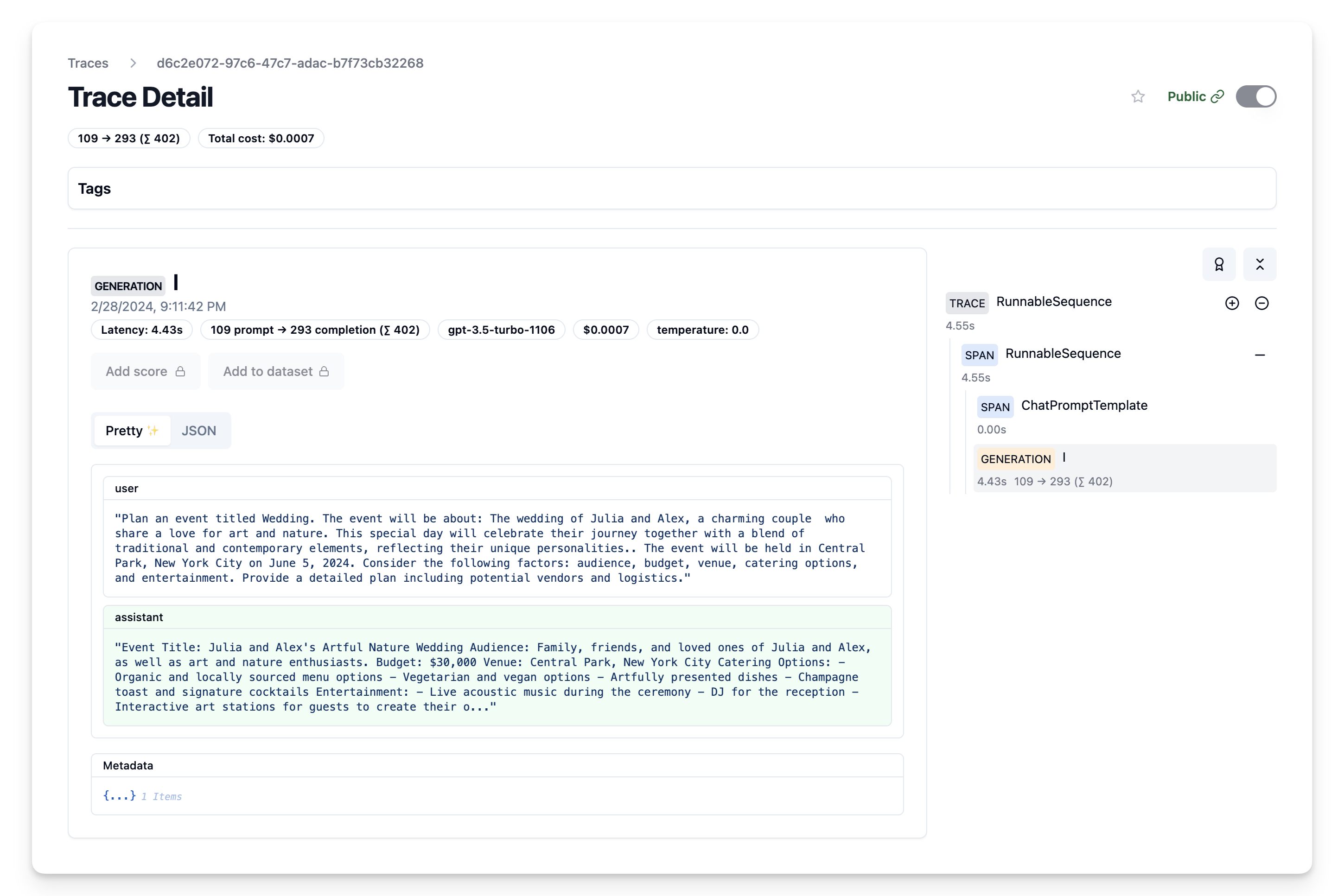
Now we can see that the trace incl. the prompt template have been logged to Langfuse
Iterate on prompt in Langfuse
We can now continue adapting our prompt template in the Langfuse UI and continuously update the prompt template in our Langchain application via the script above.