Logging YOLOv5 Experiments With W&B


You Always Log Everything (YALE)
Logging YOLOv5 Experiments with W&B
YOLO ("You Only Look Once") provides tools for real-time object detection with convolutional neural networks.
YOLO now works with Weights & Biases, an experiment tracking toolkit, so you can keep track of all the hyperparameters you've tried, view real-time updates on system and model metrics, version and store datasets and models, and more!
In this colab, we'll show you how to use YOLO and W&B together.
It's as easy as running a single pip install before you run your YOLO experiments!
Follow along with a video tutorial on YouTube.
0. Setup
First, let's get ourselves organized: clone the repo, install our dependencies, and confirm we've got PyTorch and a GPU.
1. Inference
Now, let's apply a pre-trained, already existing object detection network.
detect.py runs inference on a variety of sources, downloading models automatically from the latest YOLOv5 release.
Here, we'll just run a sample image through that network to make sure everything is working.
Results are saved to runs/detect. A full list of available inference sources:

2. Training to Fine-Tune
For applications, it's often important to take a pre-trained model and fine-tune it to work on a specific dataset -- for example, in a construction safety application, we might use fine-tuning to specialize our network in detecting the presence/absence of protective equipment.
We'll mimic this process on the COCO128 image tutorial dataset.
Weights & Biases Logging (🚀 NEW)
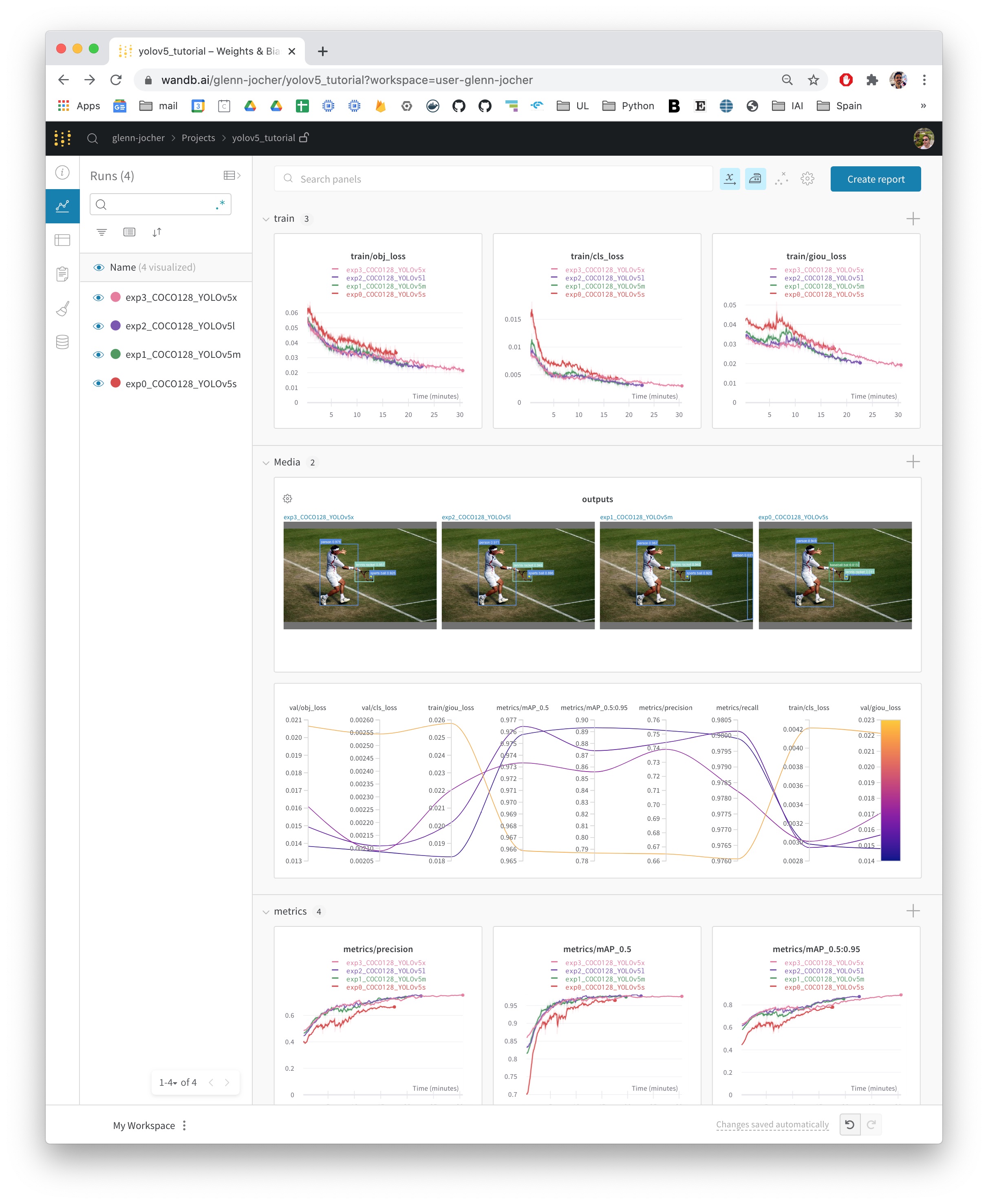
Weights & Biases (W&B) is now integrated with YOLOv5 for real-time visualization and cloud logging of training runs. This allows for better run comparison and introspection, as well improved visibility and collaboration among team members. To enable W&B logging install wandb, and then train normally (you will be guided through setting up wandb account during your first use).
And that's it! So long as W&B is installed, you'll get rich, detailed metrics in a live dashboard accessible from a browser on any device.
Just click the link that appears below next to wandb and the 🚀 emoji.
With W&B, during training you will see live updates on the dashboard at wandb.ai, including interactive bounding box visualizations (look for a panel called "Images" in the Media panel section), and you can create and share detailed Reports of your results. For more information see the YOLOv5 Weights & Biases Tutorial or check out the video tutorial for this notebook.