

In order to use Groq, you need to set the GROQ_API_KEY environment variable. You can get your API key from console.groq.com/keys.
Tracing
It’s important to store traces of language model applications in a central location, both during development and in production. These traces can be useful for debugging, and as a dataset that will help you improve your application.
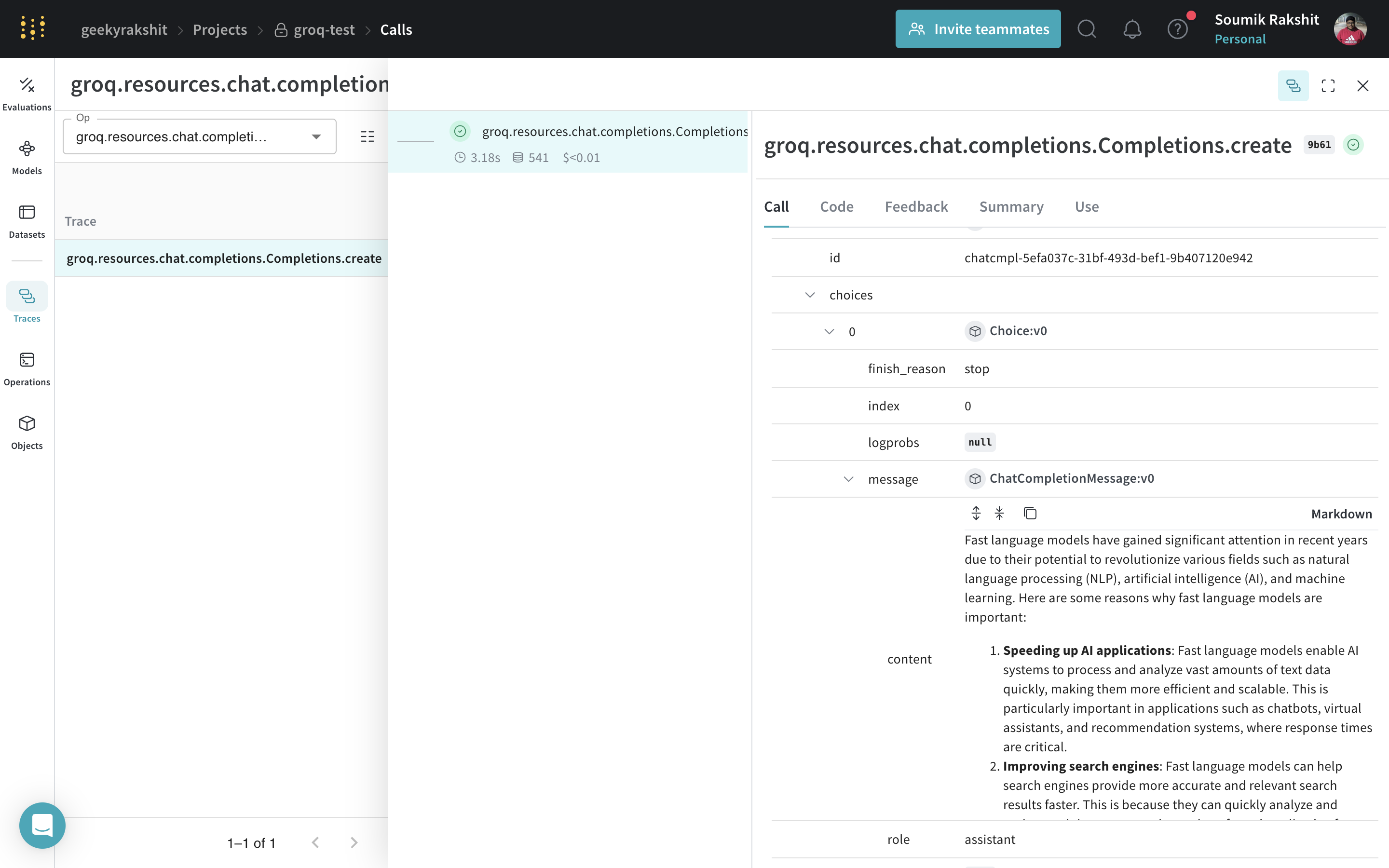
Weave will automatically capture traces for Groq. To start tracking, calling weave.init() and use the library as normal.
 |
|---|
| Weave will now track and log all LLM calls made through the Groq library. You can view the traces in the Weave web interface. |
Track your own ops
Wrapping a function with @weave.op starts capturing inputs, outputs and app logic so you can debug how data flows through your app. You can deeply nest ops and build a tree of functions that you want to track. This also starts automatically versioning code as you experiment to capture ad-hoc details that haven't been committed to git.
Simply create a function decorated with @weave.op.
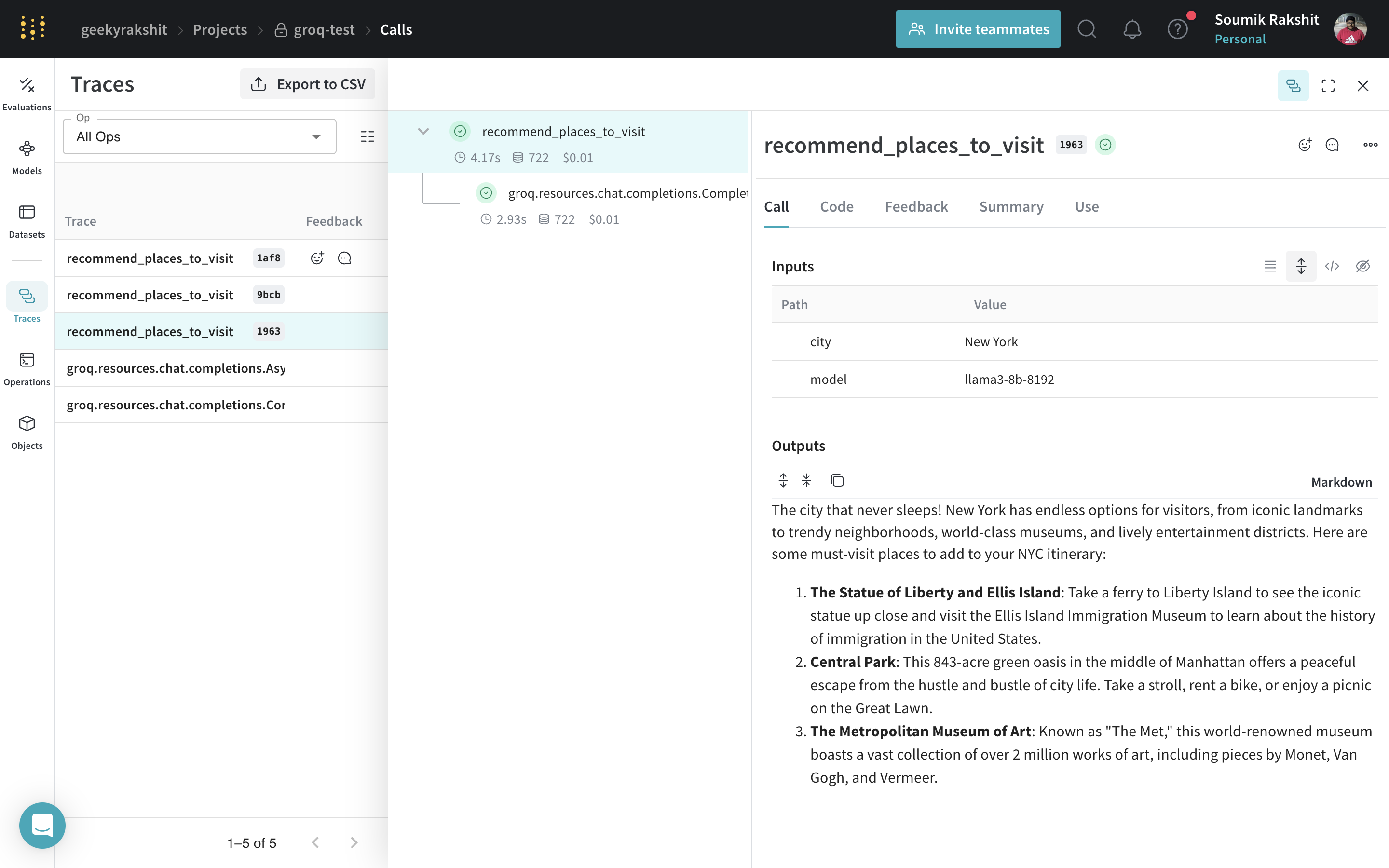
In the example below, we have the function recommend_places_to_visit which is a function wrapped with @weave.op that recommends places to visit in a city.
 |
|---|
| Weave will now track and log all LLM calls made through the Groq library. You can view the traces in the Weave web interface. |
Create a Model for easier experimentation
Organizing experimentation is difficult when there are many moving pieces. By using the Model class, you can capture and organize the experimental details of your app like your system prompt or the model you're using. This helps organize and compare different iterations of your app.
In addition to versioning code and capturing inputs/outputs, a Model captures structured parameters that control your application’s behavior, making it easy to find what parameters worked best. You can also use Weave a Model with serve, and Evaluations.
In the example below, you can experiment with GroqCityVisitRecommender. Every time you change one of these, you'll get a new version of GroqCityVisitRecommender.
|
|---|
Tracing and versioning your calls using a Model |