

OpenAI
Note: Do you want to experiment with OpenAI models on Weave without any set up? Try the LLM Playground.
Tracing
It’s important to store traces of LLM applications in a central database, both during development and in production. You’ll use these traces for debugging and to help build a dataset of tricky examples to evaluate against while improving your application.
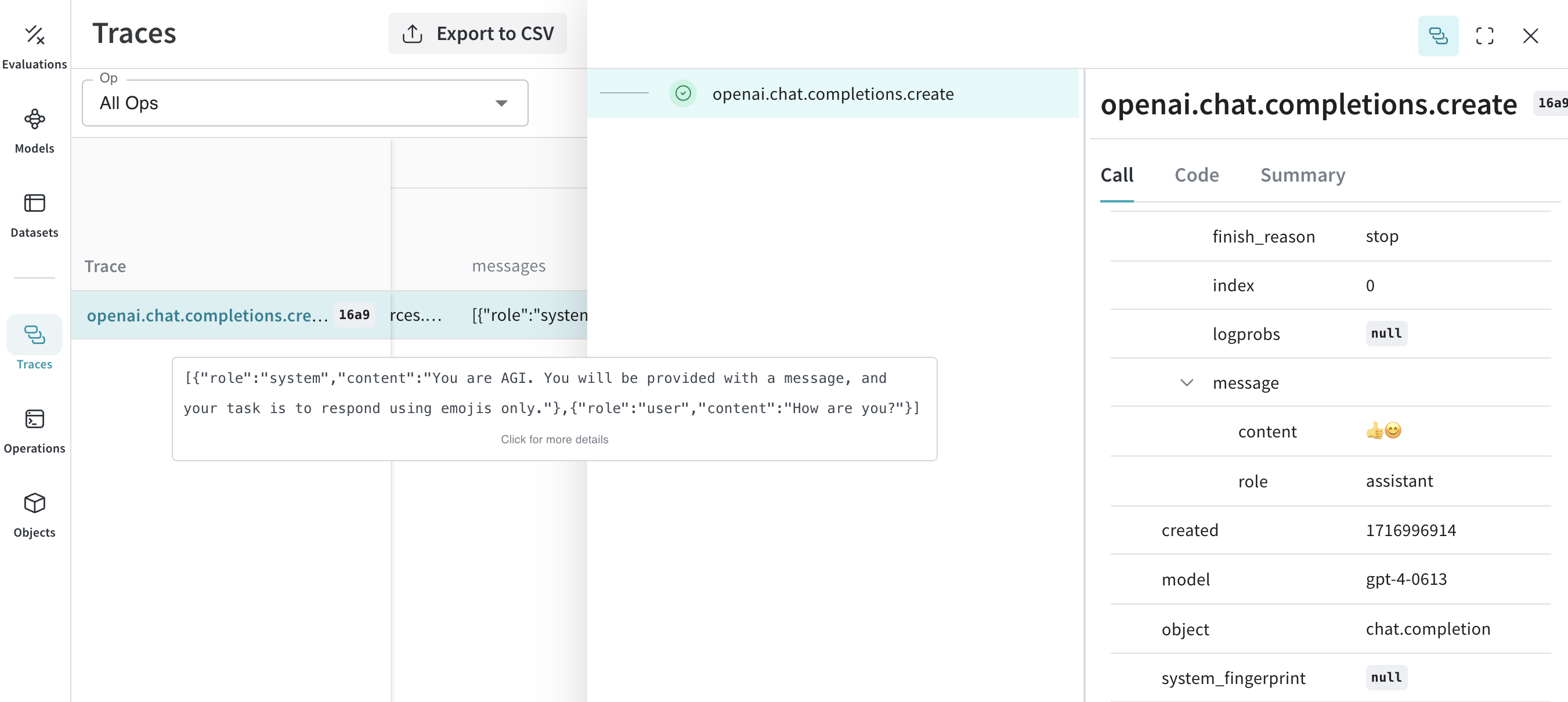
Weave can automatically capture traces for the openai python library.
Start capturing by calling weave.init(<project-name>) with a project name your choice.
If not already logged in, you will be prompted to log into wandb and authorize using your wandb account in the next step.
Track your own ops
Wrapping a function with @weave.op starts capturing inputs, outputs and app logic so you can debug how data flows through your app. You can deeply nest ops and build a tree of functions that you want to track. This also starts automatically versioning code as you experiment to capture ad-hoc details that haven't been committed to git.
Simply create a function decorated with @weave.op that calls into openai python library.
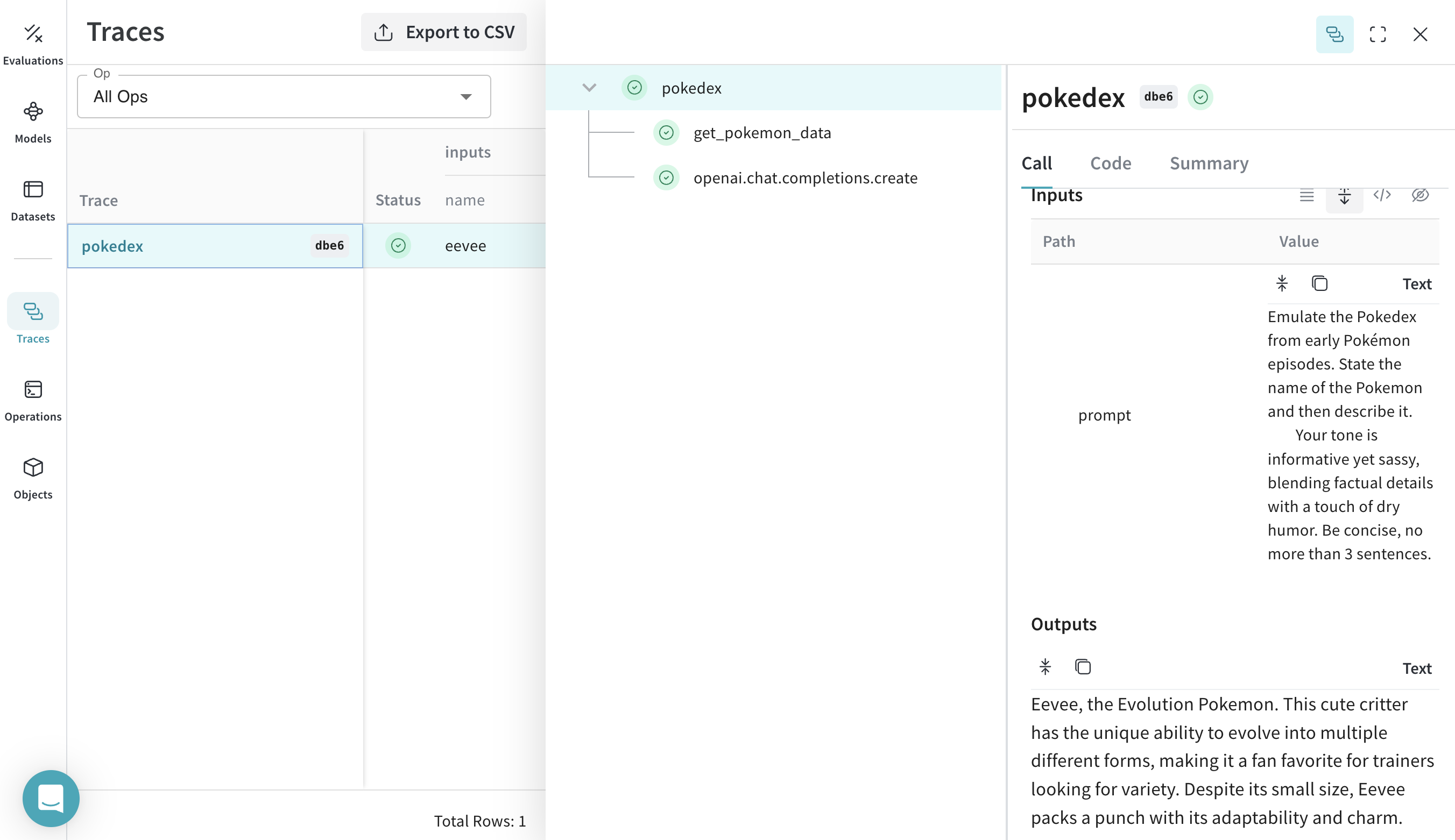
In the example below, we have 2 functions wrapped with op. This helps us see how intermediate steps, like the retrieval step in a RAG app, are affecting how our app behaves.
Navigate to Weave and you can click get_pokemon_data in the UI to see the inputs & outputs of that step.
Create a Model for easier experimentation
Organizing experimentation is difficult when there are many moving pieces. By using the Model class, you can capture and organize the experimental details of your app like your system prompt or the model you're using. This helps organize and compare different iterations of your app.
In addition to versioning code and capturing inputs/outputs, Models capture structured parameters that control your application’s behavior, making it easy to find what parameters worked best. You can also use Weave Models with serve, and Evaluations.
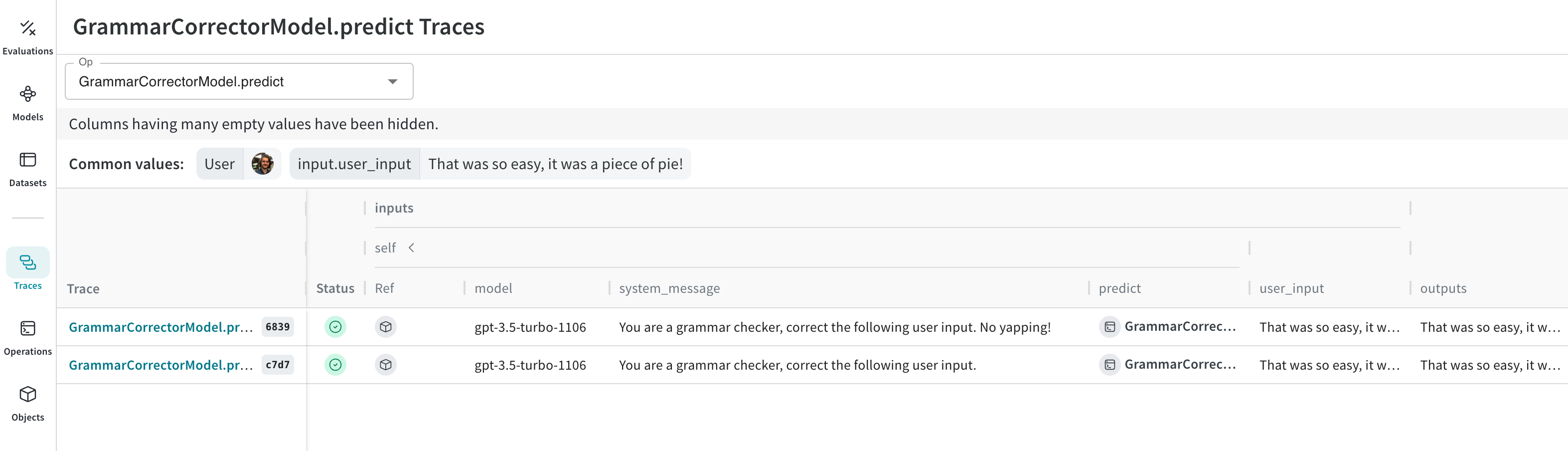
In the example below, you can experiment with model and system_message. Every time you change one of these, you'll get a new version of GrammarCorrectorModel.
Usage Info
The OpenAI calls return usage info as a default when stream=False. Weave will track this usage info and log it to weave to render token counts and cost of the call.
In case you set stream=True, we will automatically patch the call execution with stream_options={"include_usage": True} argument. This will return the usage info in the last chunk to be rendered in the UI. As a user, the stream iterator will not contain this info.
If you explicitly set stream=True and stream_options={"include_usage": True}, the returned stream object will contain the usage info. If you don't want to track the usage info you need to explicitly set stream_options={"include_usage": False}.
Support for deprecated function calling
OpenAI deprecated the functions argument in favor of tool_calls. Since frameworks like Langchain, LlamaIndex, etc., still support this argument our OpenAI weave integration will trace if you pass list of function schemas to functions argument.